


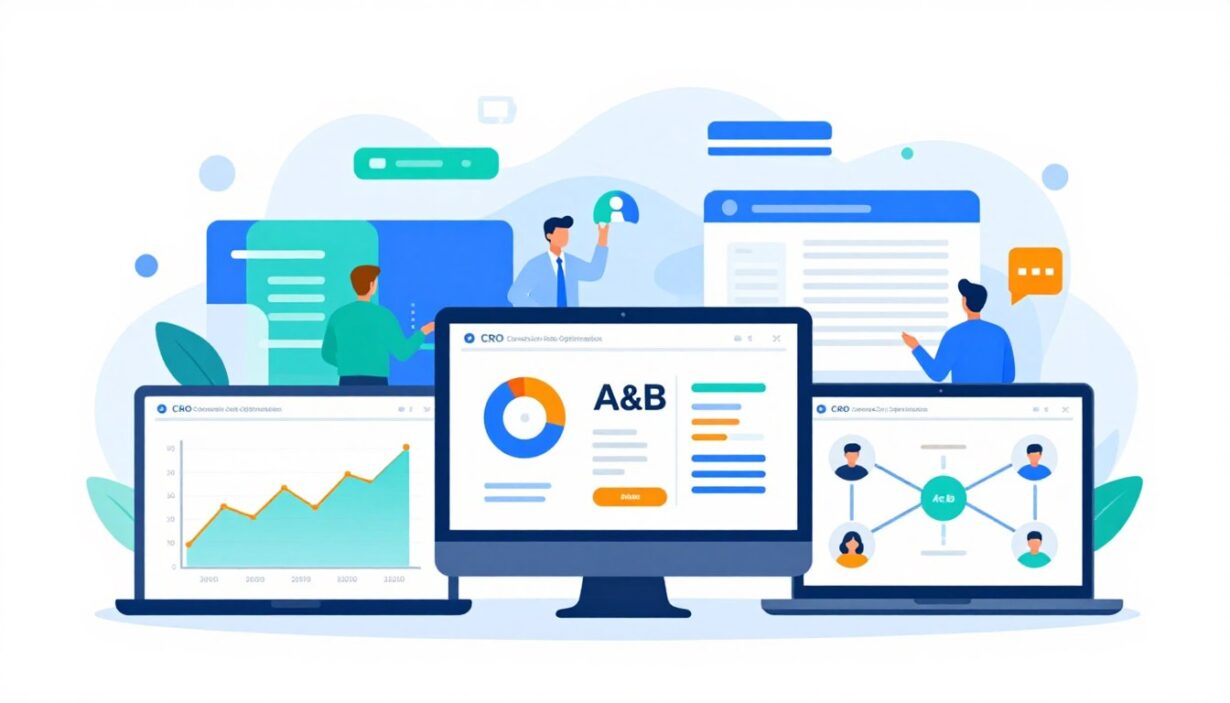
Fact: A site that lifts its conversion from 10% to 20% doubles sales with the same traffic, proving small changes can deliver big returns.
This roundup frames conversion rate optimization as a practical way for teams to improve website results without chasing more visitors. It shows how squads in the United States now pick a stack of cro tools — not a single app — to speed insight into uplift.
The article groups the best cro options by job-to-be-done: testing, analytics, behavior insights, forms, attribution, and personalization. Readers will see how to match a product to a bottleneck, shortlist candidates, and run a short pilot for 2025 budgets and procurement decisions.
Outcomes: expect higher revenue per visitor, more qualified leads, and more efficient marketing spend when teams pair the right mix of products and process.
Key Takeaways
- Small lifts in conversion can double revenue at fixed traffic.
- US teams evaluate a stack of cro tools to move faster from insight to uplift.
- Tools are grouped by job-to-be-done to match needs quickly.
- Focus is practical: shortlist, pilot, then scale within 2025 budgets.
- Primary gains include better revenue per visitor and leaner marketing spend.
What conversion rate optimization means for modern websites
Modern sites earn more from the same traffic when small, measured changes push a higher share of visitors to act. This is CRO in plain terms: targeted experiments and UX fixes that increase actions tied to business value—signups, accounts, downloads, or purchases.
How CRO improves ROI by turning more visitors into customers
When more visitors complete key actions at steady traffic levels, revenue and lead volume rise without proportional ad spend increases. For example, a move from 10% to 15% conversion rate lifts revenue by 50% on the same visitor base.
Common conversion goals teams optimize in the US market
- Demo requests and inbound calls
- Checkout completions and purchases
- Email signups and free trial starts
Key testing terms teams rely on for accurate conversion rates
Baseline metrics include sessions, unique users, assisted conversions, and funnel-step completion. Core experiment types are A/B testing, multivariate testing, and split testing. Teams use data and insights from tests to guide changes, favoring clarity, speed, and reduced friction in the user experience.
Why conversion rate optimization is a priority in 2025
With paid media prices under pressure in 2025, teams prioritize better on-site performance to stretch budgets. Leadership often asks for higher efficiency before approving larger ad spends.
Lowering customer acquisition cost with better on-site performance
Better on-site pages turn more paid clicks into customers, which lowers CAC by increasing the share of already-paid visitors who sign up or buy. Teams use experiments and analytics to target ideal customers and remove friction.
Optimizing while campaigns run across marketing channels
Optimization happens in parallel with paid search, social, and email campaigns so ads keep flowing while tests run. This always-on approach speeds learning on high-traffic landing pages.
- Analytics and attribution give visibility when multiple channels send users to the same funnel.
- Continuous testing lets businesses reinvest gains into growth or protect margins.
- Modern platforms and optimization tools provide the data and insights needed to act fast.
What conversion rate optimization tools do
CRO stacks perform three core jobs: reveal why visitors don’t act, prove which changes work, and scale relevant experiences for key audiences.
Behavior insights that reveal why users don’t convert
Behavior tools capture heatmaps, session recordings, and feedback to show hesitation, confusion, or broken interactions that analytics miss.
These insights help teams form clear hypotheses about friction points before any test runs.
Testing tools that validate changes with data
Testing platforms run A/B and multivariate tests to measure lift and avoid guesses. Validated experiments reduce the risk of shipping harmful updates.
Personalization engines that tailor experiences by segment
Personalization engines serve different pages by intent, new versus returning users, or firmographic signals for B2B. This raises relevance and long-term value.
- Insight → hypothesis → test → rollout → measurement summarizes the workflow.
- Most teams combine several cro tools because no single platform leads every category.
- Integrations with CMS, CRM, and analytics platforms keep experiments connected to business data.
How to choose the right CRO tool stack for a business
Pick products by the business outcome you need, not by vendor hype. Start by listing the primary goals—signups, purchases, or demo requests—and match capabilities to those goals.

Aligning tech to goals
For purchases, favor experimentation platforms and UX insight that measure checkout funnels. For demo requests, add form analytics and lead attribution to reduce friction.
Integration and data checks
Confirm compatibility with the CMS, CRM, and marketing automation to avoid silos. Ensure the stack sends clean data to analytics and your reporting systems.
Usability vs developer needs
Compare no-code visual editor edits for marketers against server-side testing and SDKs that need dev support. Choose based on team skills and release cadence.
Scalability, training, and support
Evaluate traffic limits, seat pricing, role permissions, and multi-domain support. Check onboarding, documentation, and whether the vendor offers success services.
- Start small with one or two products and expand after measurable wins.
- Prioritize features that serve customers and keep data centralized.
| Criteria | Marketer-friendly | Developer-focused | What to verify |
|---|---|---|---|
| Editing | Visual editor, no-code | Server-side SDKs | Time-to-launch and rollback methods |
| Integrations | Native CRM & CMS plugs | API/webhook support | Data consistency and attribution |
| Scale | Seat-based plans | Traffic & concurrency limits | Governance, roles, and multi-site support |
| Support | Onboarding & help docs | Dedicated success or engineering support | Training options and SLA terms |
Types of CRO tools and where each fits in a workflow
Teams map a suite of conversion-focused apps to each funnel step so they can spot problems and act quickly. This section shows which category answers the “what” and which explains the “why” to guide testing and rollout.
A/B testing and multivariate testing platforms
A/B testing and multivariate platforms validate hypotheses with controlled experiments. They measure uplift and help teams choose winners before wide release.
Web analytics and funnel tracking
Analytics systems like Google Analytics are the source of truth for drop-off points and goal completion. Funnel tracking shows where users leave and which channels send the most value.
Heatmaps, session recordings, and qualitative UX research
Heatmaps and session recordings reveal friction that raw numbers miss. These qualitative signals explain user behavior, show click patterns, scroll depth, and confusion on pages.
Form analytics, lead tracking, and attribution
Forms deserve a dedicated category when lead generation matters. Field-level metrics show which input breaks a flow.
Attribution and lead tracking link on-site actions to calls, chats, and closed deals so teams prioritize tests that affect real revenue.
- Map analytics first to find the biggest drop-offs.
- Use heatmaps and session data to build a test hypothesis.
- Run a/b testing to validate changes and measure impact.
- Layer form analytics and attribution to confirm business outcomes.
| Workflow Step | Primary Category | Why it matters |
|---|---|---|
| Discovery | Web analytics | Show drop-off and goal gaps |
| Diagnosis | Heatmaps & session recordings | Reveal user behavior and friction |
| Validation | A/B & multivariate testing | Prove what improves performance |
| Attribution | Lead tracking & attribution | Connect tests to real outcomes |
Best conversion rate optimization tools for A/B testing and experimentation
Picking the right testing stack speeds learning and reduces risk when teams roll out new pages or product features. The options below fit different needs: enterprise governance, mid-market all-in-one suites, and lightweight visual feedback for quick wins.
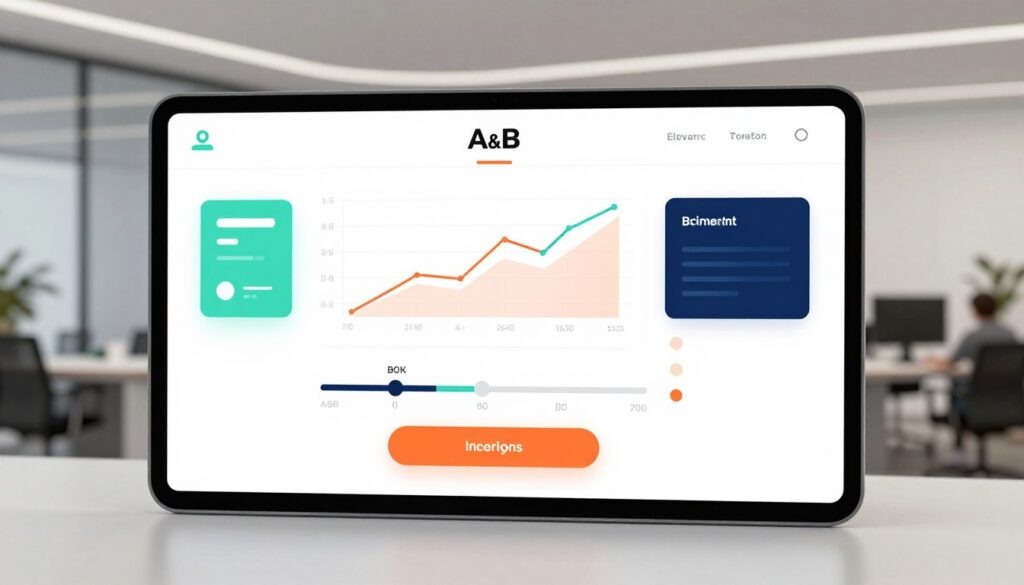
Optimizely: enterprise experimentation and feature flags
Optimizely suits large teams that need both client-side and server-side testing, robust feature flags, and strict governance. It supports product-level experiments and personalization with enterprise controls.
Pricing is custom and often in the high five-figure range annually. Optimizely is best when performance and centralized rollout rules matter.
VWO: all-in-one testing with behavior and form insights
VWO bundles A/B testing with heatmaps, session recordings, and form analytics. Plans start near $99/month and scale by traffic and modules.
It works well for SMBs and agencies that want one platform for hypothesis, test, and form-level diagnosis. Note: flicker can appear if pages aren’t configured for smooth rendering.
Crazy Egg: simple experiments with visual heatmaps
Crazy Egg focuses on fast feedback. Confetti heatmaps and simple A/B splits help teams iterate quickly.
Starter pricing is around $29/month for 5,000 pageviews with a 30-day trial. It’s ideal when teams need visual insight without heavy setup.
Client-side vs server-side testing: when each matters
Client-side tests are easy to set up and suit marketing pages and visual changes. Server-side tests avoid flicker, improve performance, and enable deep product experiments.
Consider targeting rules, QA workflows, flicker mitigation, and analytics integration when choosing a platform. Match the choice to traffic volume, experimentation maturity, and developer availability.
| Platform | Best for | Key features | Starting price |
|---|---|---|---|
| Optimizely | Enterprise & product teams | Server/client testing, feature flags, governance, personalization | Custom (high five-figure/year) |
| VWO | SMBs & agencies | A/B testing, heatmaps, recordings, form analytics | ~$99/month (entry) |
| Crazy Egg | Quick visual insight | Confetti heatmaps, simple A/B, session snapshots | ~$29/month (5k pageviews) |
Best CRO tools for AI-powered personalization and targeting
Personalization delivers the biggest uplift when a website sees mixed audiences and message-match matters more than small design tweaks. Teams use AI-driven pages to show the right headline, CTA, or offer to the right visitor.
Mutiny focuses on B2B personalization and ABM-style experiences. It uses firmographic and behavioral data to build 1:1 pages, ties into CRM, marketing automation, and analytics, and supports holdout testing to prove incremental lift. Pricing is premium—standard plans typically fall in the $1.5K–$2.2K/month range on annual contracts.
Optimizely offers AI personalization with enterprise governance, permissions, and audit controls. Large teams pick this platform when they need cross-functional alignment across marketing, product, and engineering.
Operational needs matter: clean segments, reliable data connections, and agreed measurement are required so personalization stays testable and actionable. Done right, personalization raises demo requests, creates more qualified pipeline, and improves conversions from target accounts.
| Feature | Mutiny | Optimizely | Best fit |
|---|---|---|---|
| Primary focus | ABM & B2B personalization | Enterprise personalization & governance | Segmented website experiences |
| Integrations | CRM, marketing automation, analytics, Slack alerts | Enterprise systems, SDKs, analytics | Teams needing robust data syncs |
| Testing | Holdout testing for true lift | Advanced targeting with control groups | Proof of incremental impact |
| Pricing | Premium (≈$1.5K–$2.2K/mo Standard) | Custom enterprise pricing | Budget vs governance trade-off |
Best CRO tools for web analytics and conversion tracking
High-quality analytics turn vague hunches into measurable hypotheses for targeted experiments. The right platform shows where users drop off and which segments underperform so teams can prioritize fixes.

Google Analytics (GA4)
GA4 is the free baseline many US teams rely on. It supports funnel exploration, goal events, and cross-device measures. For most websites, GA4 covers core tracking needs without immediate cost.
Adobe Analytics
Adobe suits enterprises that need cross-channel visibility and predictive insights. It links CRM data and advanced segmentation to business KPIs, making it valuable when teams need deeper, multi-touch analysis.
Mixpanel
Mixpanel focuses on product-led funnels and event-driven user journeys. It excels at showing drop-off across onboarding, activation, and retention steps so product teams can act fast.
Heap
Heap auto-captures pageviews, clicks, form submissions, and transactions. That reduces manual event setup and speeds analysis for teams with limited analytics engineering bandwidth.
- Align event definitions and governance so data and conversion tracking stay consistent across teams.
- Use one source of truth for funnels and tie experiments back to business metrics.
| Platform | Best for | Key strength |
|---|---|---|
| GA4 | Baseline tracking | Free funnels & goals |
| Adobe Analytics | Enterprises | Cross-channel & predictive |
| Mixpanel | Product teams | Drop-off analysis |
| Heap | Fast setup | Auto-captured events |
Best CRO tools for heatmaps, session recordings, and user behavior insights
Behavior insight apps expose the moments when users hesitate, click the wrong element, or abandon a page. These products often reveal the “why” behind analytics signals and speed hypothesis creation.
Hotjar: heatmaps, session replay, funnels, and feedback
Hotjar bundles heatmaps, session recordings, funnel visualization, and voice-of-customer feedback. The free plan captures up to 35 sessions/day; paid plans start near $99/month and scale by volume. It is a balanced choice for teams that need quick behavior insights without heavy setup.
Crazy Egg: Confetti segmentation and simple A/B
Crazy Egg adds Confetti heatmaps that segment clicks by source or audience. It includes basic A/B testing, a 30-day trial, and starter pricing around $29/month—useful when teams need fast visual splits by traffic type.
FullStory: advanced session replay and searchable experience data
FullStory offers indexed session search, event-level detail, and debugging signals. A free tier covers ~1,000 sessions; paid plans are usage-based and typically require vendor contact. It fits teams that need deep digital experience analytics.
- Why start here: behavior recording often finds the root cause faster than funnels alone.
- Checklist for recordings: rage clicks, dead clicks, excessive scrolling, back-and-forth navigation, and hesitations at key form fields.
- Next step: turn observations into testable hypotheses and measure the impact on conversion metrics.
| Product | Key features | Starting price |
|---|---|---|
| Hotjar | Heatmaps, recordings, funnels, feedback | Free (35 sessions/day); paid ≈ $99/mo |
| Crazy Egg | Confetti heatmaps, simple A/B, visual reports | 30-day trial; starter ≈ $29/mo |
| FullStory | Searchable sessions, event indexing, DX analytics | Free tier ~1,000 sessions; usage-based pricing |
Best CRO tools for form analytics and funnel friction
Forms are a common bottleneck for US lead generation and checkout flows. Small friction on a single field can cost many qualified leads and waste paid traffic spend.
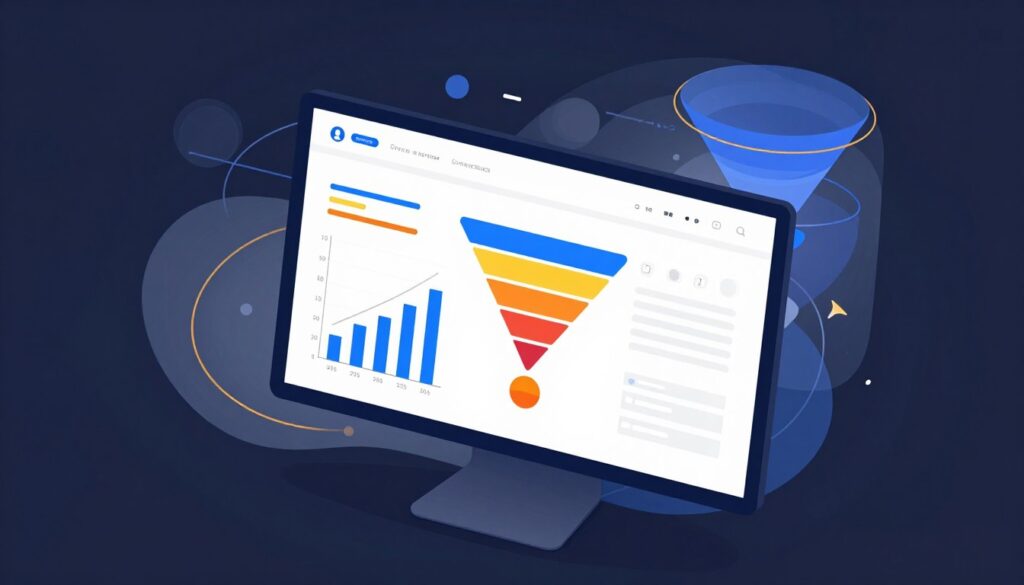
Zuko Analytics for field-level drop-off and form optimization insights
Zuko Analytics focuses on field-by-field drop-off, time-to-complete, and where users hesitate or abandon a flow. It surfaces exact fields that cause friction—phone, company size, or password rules—so teams stop guessing and start fixing.
Pricing starts around ~$70/month for Basic plans and demos are available. Zuko helps teams prioritize fixes that affect lead quality and on-site performance.
How form analytics supports better testing hypotheses
Form-level data creates clear, testable hypotheses. Examples include reducing required fields, improving validation messaging, or reordering steps to lower abandonment.
- Diagnose specific field failures rather than relying on aggregate funnels.
- Use time-to-complete and hesitation signals to find micro-friction.
- Pair form insights with A/B testing to quantify uplift after changes ship.
| Product | Primary focus | Starting price |
|---|---|---|
| Zuko Analytics | Field-level drop-off, form diagnostics | ≈ $70/month (Basic) |
| Typical pairing | A/B testing & analytics | Validate fixes and measure conversions |
| Operational notes | Tagging consistency, privacy-safe capture, CRM alignment | Required for reliable data |
Operational requirements matter: keep tagging consistent, capture privacy-safe data, and align form changes with CRM lead-quality rules. When teams follow that checklist, form insights turn into reliable tests and measurable gains.
Best CRO tools for lead tracking and attribution
Attribution closes the loop between on-site experiments and real revenue so teams know which changes matter most. When A/B tests lift form fills but closed deals lag, attribution shows which traffic and pages drive valuable customers.
WhatConverts: end-to-end lead tracking
WhatConverts tracks calls, forms, and chats in one place. It offers a 14-day trial and plans start near $30/month for call tracking. Teams use it to tie leads back to campaigns, landing pages, and ad spend.
CallRail: call-focused tracking for service businesses
CallRail specializes in phone and form tracking for multi-location and service marketing. A 14-day trial is available; entry pricing is about $45/month (five numbers and 250 minutes). It maps calls to campaigns so phone leads are visible in reporting.
When attribution should be a priority
- Use attribution when lead volume is healthy but lead quality or channel ROI is unclear.
- Attribution insights refine test priorities by highlighting high-value pages and sources.
- Measurement hygiene matters: manage tracking numbers, ensure CRM handoff, and align a shared definition of a “good lead.”
| Platform | Primary focus | Entry plan |
|---|---|---|
| WhatConverts | Calls, forms, chats | 14-day trial; ≈ $30/mo |
| CallRail | Call + form tracking | 14-day trial; ≈ $45/mo |
| When to add | Quality or ROI unclear | After stable traffic and baseline tests |
Tools with free plans or trials to start optimizing quickly
Free access to basic analytics and behavior capture turns ideas into testable hypotheses quickly. Teams can move from research to action with minimal spend by picking a few no-cost entry points. Prioritize one funnel and use free tiers to gather signals before buying full suites.
GA4 as a free baseline for conversion tracking
Google Analytics (GA4) is free and handles funnels, events, and core conversion metrics. It gives a reliable baseline to measure impact without upfront cost.
Hotjar’s free plan for lightweight behavior insights
Hotjar Basic includes heatmaps and 35 sessions/day. This free plan surfaces quick UX insights so teams can spot friction and form clearer hypotheses.
FullStory’s free tier for limited session capture
FullStory offers a free tier around 1,000 sessions. It gives higher-fidelity session recordings and searchable experience data, ideal for deeper behavior analysis on priority pages.
Typical free trials: VWO, Crazy Egg, WhatConverts, and CallRail
- VWO — trial access for testing and basic analytics.
- Crazy Egg — 30-day trial with confetti heatmaps and simple A/B testing.
- WhatConverts — 14-day trial for end-to-end lead tracking.
- CallRail — 14-day trial for phone tracking and attribution.
| Product | Free plan / trial | Why start here |
|---|---|---|
| GA4 | Free | Baseline analytics for funnels and event tracking |
| Hotjar | Free (35 sessions/day) | Quick heatmaps and lightweight session capture |
| FullStory | Free tier (~1,000 sessions) | Searchable recordings for high-value pages |
Practical note: free plans have volume caps. Focus sessions and recordings on high-traffic or high-value journeys to get meaningful insights. Use these entry points to validate hypotheses, then upgrade when the data proves impact.
Pricing expectations and budgeting for CRO software
Budget planning for on-site experimentation starts with understanding how pricing scales by traffic, features, and governance.
SMB-friendly entry points help small teams test without long contracts. Examples: Crazy Egg ≈ $29/month, Hotjar paid plans from $99/month, VWO from ~$99/month, Zuko around $70/month, WhatConverts ≈ $30/month, and CallRail ≈ $45/month.
Enterprise platforms often use custom or usage-based pricing. Optimizely, FullStory, and Mutiny require vendor quotes and include governance, SLAs, and advanced integrations.
Traffic-based pricing and session limits
Heatmaps and session recordings commonly charge by captured sessions or pageviews. High-traffic pages can push costs up quickly, so reserve captures for priority flows.
How costs grow with personalization and modules
Adding personalization, extra modules, seats, or more domains increases monthly spend. Expect higher fees for holdout testing, data syncs to CRMs, and long-term retention of analytics data.
- Plan for implementation: onboarding, QA, and analyst hours add to total cost.
- Procurement asks: security reviews, privacy rules, and retention policies can affect contract terms.
| Company size | Typical entry price | What drives up cost |
|---|---|---|
| SMB | $29–$150/month | Traffic, extra modules, seats |
| Mid-market | $100–$1,000/month | More domains, integration work, recording volume |
| Enterprise | Custom (quote) | Governance, SLA, personalization, usage |
How to evaluate CRO tools with a practical pilot plan
Start a pilot with one clear funnel to prove impact before signing an annual contract. A small, structured pilot gives teams evidence and reduces procurement risk.
Pick one high-impact funnel and define success metrics
Choose a single funnel—checkout, demo request, or lead form. Define primary success metrics beyond clicks, such as qualified leads or completed purchases.
Set baseline values and expected uplift so the test has commercial meaning.
Combine analytics with session recordings to find the “what” and the “why”
Use analytics to spot where users drop off and session recordings to see friction. Pair those signals to form clear hypotheses.
VWO helps track hypotheses and stats; Optimizely adds governance for multi-team pilots.
Run A/B tests with proper governance and statistical rigor
Structure each test with a hypothesis, primary metric, audience rules, duration, and stop criteria. Log results, decisions, and next steps.
- Pilot checklist: funnel chosen; metrics defined; analytics + recordings active.
- Run a/b testing with clear QA, shared calendars, and traffic allocations.
- Document learnings and build a reusable testing backlog for ongoing CRO work.
| Step | Focus | Outcome |
|---|---|---|
| Discovery | Analytics | Where to test |
| Diagnosis | Session recordings | What causes drop-off |
| Validation | A/B testing | Evidence for rollout |
Implementation tips: integrations, privacy, and data quality
Teams that map data flows before install avoid common pitfalls like bot noise and double-counted events. A clear plan prevents broken analytics and keeps experiments tied to real business outcomes.
Connecting CRO platforms to existing stacks without disrupting workflows
Start by documenting how the website, CRM, and analytics exchange events. Match test events to CRM fields so lead captures stay consistent.
Use tag management for script deployment and version control. Test on staging, run QA checks, and schedule rollouts around releases to avoid conflicts with engineering work.
Privacy and compliance for user behavior tracking
Respect consent and mask sensitive fields in session records. Implement retention rules and ensure vendors support HIPAA/GDPR/CCPA where needed for US audiences.
Keep users informed and provide opt-out options. That lowers legal risk and keeps data usable for analysis.
- Mitigate data risks: filter bots, avoid duplicate events, and check single-page app event hooks.
- Governance: standardize naming conventions and a shared events catalog for marketing and product.
- Rollout: staged deploy via tag manager, QA checklist, and rollback plan.
| Area | Risk | Simple mitigation |
|---|---|---|
| Analytics | Duplicate events | Use a single event registry |
| Recordings | Sensitive user data | Mask fields & respect consent |
| Attribution | Inconsistent mapping | Sync CRM fields and UTM rules |
Conclusion
Teams that treat on-site improvement as a repeatable system see steady gains across pages and campaigns.
Think of conversion rate optimization as a continuous loop: analytics show where visitors drop off, heatmaps and session recordings explain why, and testing tools prove what works. Match the best cro tools to the bottleneck you find.
A practical starter stack for many US teams is GA4 plus one heatmaps/session recordings product. Add A/B testing once hypotheses are clear. This approach reduces wasted marketing spend before increasing acquisition budgets.
Next steps: shortlist two vendors per category, run a short pilot on one high-impact page and funnel, and decide by measured lift and how the setup fits operations. Strong governance and simple processes keep wins repeatable across the website.
FAQs
What are conversion rate optimization tools and why do I need them?
Conversion rate optimization tools are software solutions that help you analyze user behavior, run experiments, and implement changes to increase the percentage of visitors who complete desired actions (signups, purchases, leads). You need them to make data-driven decisions, reduce guesswork, and improve ROI from your existing traffic.
Which types of conversion rate optimization tools should I consider?
Consider tools for analytics (heatmaps, session recordings), A/B and multivariate testing, personalization, form optimization, and user feedback. A balanced stack typically includes an analytics platform, an experimentation tool, and a personalization or form tool to address different stages of the optimization funnel.
How do I choose the best conversion rate optimization tools for my business?
Choose tools based on your goals, traffic volume, technical resources, and budget. Prioritize tools that integrate with your tech stack, provide reliable statistical analysis, and offer features you need (e.g., visual editor, targeting, segmentation). Start with tools that deliver insights quickly and scale as your testing program matures.
Can I use free conversion rate optimization tools effectively?
Yes. Free tools can provide valuable insights—many offer heatmaps, basic session recordings, and limited A/B testing. They’re great for small sites or early-stage testing, but larger or more advanced programs often require paid tools for scalability, advanced targeting, and statistical confidence.
How do conversion rate optimization tools measure success?
Most tools measure success by comparing key metrics (conversion rate, revenue per visitor, average order value) across test variants or before/after changes. They use statistical models to estimate significance, though you should also consider business impact, sample size, and test duration when interpreting results.
How much technical skill is required to use conversion rate optimization tools?
Technical needs vary. Visual editors and no-code personalization tools require minimal technical skill, while advanced experiments, server-side testing, and complex integrations may need developer support. Choose tools that match your team’s skills or provide sufficient documentation and support.
How long before I see results from conversion rate optimization tools?
Timeframes depend on traffic, test complexity, and the magnitude of changes. Small wins can appear within weeks for high-traffic pages, while statistically valid tests on low-traffic sites may take months. Focus on steady iteration and learning rather than instant wins.
What are common pitfalls when using conversion rate optimization tools?
Common pitfalls include running underpowered tests, making decisions on incomplete data, ignoring qualitative feedback, and not documenting tests. Avoid bias by defining hypotheses, tracking primary metrics, and ensuring proper experiment setup and duration.