


Can a modern finance team close faster, report smarter, and cut manual work without losing control? This roundup answers that question for buyers who want clear comparisons of top tools in 2026. It sets expectations for controllers, CFOs, and accounting leaders who seek faster close cycles, better reporting, and fewer handoffs.
“Advanced” here means less spreadsheet dependence, fewer repetitive tasks, and governed workflows that deliver reliable outputs. The article compares end-to-end platforms and niche solutions — from close and reconciliation to AP, ERP, and FP&A — and notes 2026 positioning for brands like Solvexia, BlackLine, Microsoft Dynamics, Xero, and QuickBooks.
Readers will see evaluations framed by process impact, accuracy, controls, integrations, security, reporting quality, and time-to-value. Those insights show how teams can shift from data entry to analysis and planning. For related forecasting context and model-driven outcomes, see AI financial forecasting guide.
Key Takeaways
- Target audience: controllers, CFOs, finance ops leaders, and accounting managers.
- Scope: end-to-end platforms, close/reconciliation, AP, small business accounting, ERP, and FP&A tools.
- Evaluation criteria: process impact, accuracy, controls, integration, security, reporting, time-to-value.
- Outcome: less manual work, more time for analysis, planning, and decision support.
- 2026 highlights: vendor positioning includes Solvexia, BlackLine, Microsoft Dynamics, Xero, and QuickBooks.
Why Finance Teams are Moving Beyond Spreadsheets
Spreadsheet-driven close cycles often stall because teams spend hours on manual copy/paste rather than analysis. This creates bottlenecks when finance teams depend on manual data entry and static files for reporting.
Repetitive tasks extend close time and raise the risk of key person dependency. When one analyst holds workbook logic, operations slow and decisions wait.
Fragmented data from banks, ERPs, and CRMs forces constant reconciliation. That increases missed adjustments and undermines confidence in outputs.
Real-time finance means on-demand visibility into cash, payables, receivables, and performance metrics using integrated data feeds instead of end-of-week snapshots.
- What organizations need: auditable workflows, standardized processes, and faster rollups that stand up to stakeholder scrutiny.
- How automation helps: it triggers standard workflows, validates inputs, and reduces rework so teams can close faster and report with confidence.
| Aspect | Spreadsheet Era | Modern Operations |
|---|---|---|
| Data entry | Manual copy/paste, risky | Integrated feeds, automated validation |
| Close time | Long cycles, delays | Faster rollups, on-demand reports |
| Control | Key person dependency | Auditable workflows and ownership |
| Reporting | Static, end-of-week updates | Near real-time metrics and confidence |
Moving beyond spreadsheets is not just tooling; it requires workflow redesign, controls, and clear ownership. The next section explains what that redesign looks like in practice.
What Finance Automation Means for Financial Processes Today
Teams today expect systems that move data, enforce rules, and let people focus on analysis instead of manual fixes.
From workflow automation to end-to-end operations management
Automation standardizes workflows, reduces manual steps, and adds governance across core financial processes.
Point workflow automation tackles a single task, such as invoice approvals or one reconciliation. End-to-end operations management links AP, AR, close, and reporting so data flows without repeat rework.
Where automation improves accuracy, speed, and controls
Accuracy rises when inputs are controlled, rules validate entries, and mapping stays consistent across entities. That limits spreadsheet drift and cut-and-paste errors.
Speed improves through faster pulls from source systems, automated matching, alerts, and parallel approvals. Closes and reports get produced sooner and with less rework.
Controls strengthen with clear audit trails, approval records, segregation of duties, and exception handling that flags issues instead of letting them fail silently.
- Evaluate whether a platform or best-of-breed solution fits integration needs and reporting demands.
- Modern efforts usually start with clean data pipelines and end with decision-ready outputs for leaders and stakeholders.
Automated Financial Reporting and Report Generation Explained
Automated report generation turns scattered ledgers and bank feeds into consistent statements with little manual work.
In practical terms, automated financial reporting is the end-to-end process that extracts, validates, consolidates, and publishes statements and management reports.
How workflows handle data extraction and validation
Automated workflows pull financial data from ERPs, banking feeds, and ledgers. Rules validate entries, run reconciliations, and flag exceptions before results flow into reports.
Checks and flags reduce last-minute fixes and make results more reliable for leadership reviews.
Why this supports compliance and audit readiness
Consistent handling of data creates repeatable audit trails. Role-based approvals, change logs, and encrypted storage help meet GAAP/IFRS and SOX expectations.
- Audit: reproducible prior-period reports without spreadsheet archaeology
- Compliance: approvals and governance that prevent unauthorized edits
- Security: access controls and encryption protect sensitive entries
| Feature | Benefit | Impact on Close |
|---|---|---|
| Data integration | Single source of truth | Faster rollups |
| Rule-based validation | Fewer post-close adjustments | Shorter review cycles |
| Audit trails & logs | Clear evidence for auditors | Lower audit effort |
Near real-time reporting helps boards and investors see updated results on demand. The ROI is immediate: less manual work, fewer errors, and faster month-end and year-end close.
Key Financial Processes to Automate First for Fast ROI
Start with high-volume, rule-driven workflows that deliver measurable payback within weeks.
Accounts payable
AP is a top candidate because invoice capture, duplicate detection, and approval routing cut cycle time and reduce overpayments.
BILL serves as a practical example: its AI-enhanced AP capabilities speed approvals and sync postings to keep the general ledger current.
Accounts receivable
Automating invoicing, reminders, and collections tracking improves cash flow and gives the team clear visibility into overdue accounts.
Reconciliation and close
Automated reconciliation matches bank and subledger entries, surfaces exceptions, and shortens close time while improving accuracy.
Expense and payroll
Expense management enforces policy, captures receipts, and reveals spend trends.
Payroll automation ensures correct deductions and on-time pay runs, lowering compliance risk and admin tasks.
- Prioritize by ROI: choose processes with steady volume and clear metrics (AP, AR, reconciliation, expense, payroll).
- Measure results: document baseline time and error rates so savings are easy to quantify.
For a quick planning guide, see the finance automation checklist to map priorities and timelines.
Benefits to Expect From Finance Automation Software
Teams that adopt smart workflows report measurable wins in close cycles, compliance, and daily operations.
Time savings during month-end and year-end close
Faster closes come from fewer manual steps and parallel approvals. That cuts the hours spent on checklists, reconciliations, and roll-forward reporting.
Error reduction and higher reporting accuracy
Standardized rules and validation catch issues early. Accuracy improves when mappings are consistent and edits are tracked.
Better insights for financial planning and analysis
Clean, timely data speeds analysis and delivers deeper insights for financial planning. Leaders run scenarios without rebuilding spreadsheets each cycle.
Improved employee experience by reducing repetitive tasks
Removing routine work boosts morale and lets the team focus on strategy and problem solving. Efficiency gains also lower key person risk.
- Benefits compound when AP, reconciliation, and reporting are connected.
| Benefit | Metric | Typical Impact |
|---|---|---|
| Close time | Hours saved per month | 30–60% reduction |
| Reporting accuracy | Post-close adjustments | 50–80% fewer errors |
| FP&A insights | Scenario turnaround | Days to hours |
| Team productivity | Routine task hours | Significant reallocation to analysis |
How to Choose the Best Platform for Your Business Requirements
Selecting the right tool starts with clear business requirements and mapped outputs. Teams should define what success looks like before talking to vendors. That makes demos easier to evaluate and shortlists more relevant.

Cloud access and remote-ready workflows
Cloud-based platforms let hybrid teams work from anywhere with controlled permissions. This speeds collaboration on shared tasks and reduces email handoffs.
Ease of use, training, and learning curve
Assess expected training hours and who will configure workflows. Choose tools non-technical finance staff can learn quickly to lower change resistance.
Integration with ERP, accounting systems, and bank data
Verify connectors to your ERP and accounting systems, plus bank feeds and upstream data sources. Good integration prevents new data silos and keeps reporting reliable.
Cost, reporting, and customization
Look beyond sticker price: include licensing, implementation services, internal resourcing, and ongoing support in total cost. Ensure client-friendly reporting templates and export options for external stakeholders.
- Buyer’s checklist: map must-have workflows, required reports, entity structure, and close timelines before a demo.
- Request a demo only after mapping requirements so vendors can show real scenarios.
| Selection Area | Key Question | Desired Outcome |
|---|---|---|
| Cloud access | Can teams access workflows remotely and securely? | Faster collaboration and controlled access |
| Integration | Does it connect to ERP, accounting, and bank feeds? | Single source of truth for reports |
| Training & learning | How long to onboard non-technical users? | Low learning curve and quick adoption |
| Cost & support | What are total implementation and support costs? | Predictable TCO and vendor responsiveness |
Security, Compliance, and Controls to Evaluate Before a Demo
Before a demo, teams should verify that access and control features stop unauthorized edits and keep reports trustworthy.
Access controls, audit trails, and segregation of duties
Confirm role-based access and least-privilege permissions. Check for strong authentication options and clear user provisioning.
Ask for live examples of audit trails. Teams must trace who changed entries, when, and why for internal governance and audit requests.
Segregation of duties matters in AP, payments, and journal workflows to reduce fraud risk and unauthorized changes.
GAAP/IFRS/SOX-aligned reporting and governance
Compliance is more than a claim. Verify how reporting logic is versioned, reviewed, and locked down to meet GAAP, IFRS, or SOX standards.
Request demonstrations of controls over templates, reconciliations, and period close steps during the demo.
Data security expectations
Require encryption in transit and at rest, secure integrations, and documented data handling policies.
Ask vendors to show exception handling, override logs, and how controls operate across connected systems. Speed from automation is valuable, but governance builds trust.
| Control | What to verify | Why it matters |
|---|---|---|
| Access | Role rules, MFA | Prevents unauthorized edits |
| Audit trail | Change logs, timestamps | Supports internal and external audit |
| Data security | Encryption, secure APIs | Protects sensitive finance records |
Top Financial Automation Platforms for End-to-End Workflows
End-to-end platforms link closing, reporting, and operational tasks so teams stop toggling between siloed systems. These platforms suit groups that need connected workflows across reconciliation, report generation, and operations rather than point tools that solve one problem.
Solvexia
Solvexia automates report generation, reconciliation, and analytics across close cycles. It is cloud-based and advertises rapid deployment — often up and running in about 30 minutes with limited IT involvement.
Teams in finance ops benefit most: those who want to standardize recurring tasks and cut spreadsheet-heavy reporting cycles see the fastest ROI.
Microsoft Dynamics
Microsoft Dynamics links planning, accounting, payroll, and inventory for a unified view of operations and reporting. The suite can automate many processes once configured.
Buyer note: expect a steeper learning curve. Training and governance are essential to capture full value.
Choose a platform when breadth of integration and workflow standardization matter more than one specialized feature. Shortlist based on existing systems, entity complexity, and the level of automation needed across multiple processes.
| Capability | Solvexia | Microsoft Dynamics |
|---|---|---|
| Deployment speed | Cloud, ~30 minutes setup | Cloud/on-prem, longer setup |
| Best for | Finance ops, reporting & reconciliation | End-to-end operations, planning, payroll |
| Learning curve | Low to moderate | Moderate to high; needs training |
| Integration breadth | Strong reporting/connectors | Wide systems integration across ERP modules |
Best Tools for Financial Close and Reconciliation Automation
Streamlining the close and reconciliation cycle often delivers the fastest, measurable ROI for accounting teams.
BlackLine for close management and reconciliation
BlackLine focuses on structured close processes, exception handling, and fraud prevention controls that reduce manual matching and misstatements.
It automates balance sheet reconciliations, transaction matching, AR tasks, and produces management reporting outputs. Teams use it to standardize task lists, track evidence, and keep an auditable trail.
Why start here: close and reconciliation automation compresses timelines and lowers the chance of errors from manual work. That improves audit readiness and reduces last-minute scrambling.
- Typical use cases: balance sheet reconciliations, transaction matching, standardized close task lists, and management reports.
- Compliance benefit: documented workflows and retained evidence make audits less disruptive.
- Evaluation criteria: ease of adoption for accountants, quality of exception queues, evidence retention, and ERP/data integration.
| Criterion | What to check | Desired outcome |
|---|---|---|
| Adoption | Onboarding time for accountants | Fast uptake with minimal IT |
| Exception handling | Queue clarity and routing | Quick resolution and fewer reopenings |
| Evidence retention | Document storage and audit logs | Clear trail for auditors |
| Integration | ERP and bank feed connectors | Accurate data and fewer manual imports |
Recommendation: run a pilot on the highest-volume or highest-risk reconciliations to prove value before scaling to enterprise-wide management.
Best AP and Spend Automation Tools for Faster Payments
Streamlined AP and spend tools give leaders near‑real‑time sightlines into upcoming obligations.
BILL AP uses AI to speed bill capture, approvals, and payments. It reduces manual work and errors by extracting bill data and routing invoices to the right approvers.
It syncs payables and payment status with leading accounting systems so teams avoid duplicate entry and stale records. BILL is used by 500K+ businesses across its network, offering clear scale and market credibility.
BILL Spend & Expense
BILL Spend & Expense adds budget controls, guided spend workflows, and centralized cash flow visibility. Leaders can track expense commitments and open obligations in near real time.
The platform also offers access to credit lines from $1,000 to $5M, which helps working capital and timing of payments.
- Why it matters: faster payments, stronger controls, and improved visibility into commitments and cash flow.
- Integration: syncs with accounting tools so payable activity appears without manual updates.
- Outcomes: case studies show up to 90% faster payment processing and 80% faster payables for some customers; results vary by use case.
| Capability | What BILL delivers | Business impact |
|---|---|---|
| Invoice capture | AI extraction and validation | Fewer data errors and manual entries |
| Approval workflows | Configurable rules and routing | Faster signoffs and controlled spend |
| Accounting sync | Two‑way integration with ledgers | Up‑to‑date payables and payments |
| Spend controls | Card limits, budgets, and policies | Reduced overspend and better reporting |
Evaluation checklist: confirm approval policy flexibility, card and spend controls, reporting exports, and exception workflows for PO or policy mismatches. These questions reveal whether a tool will scale with the business and deliver the expected efficiency gains.
Best Accounting Automation Software for Small Businesses and Growing Teams
Small businesses often choose tools that prioritize quick setup, clear bank connectivity, and simple workflows over deep customization.
Xero for bank feeds, ease of use, and broad integrations
Xero is cloud-based and pulls data directly from banks. It links with CRMs and e-commerce platforms to cut manual bookkeeping.
It fits service businesses and lean teams that want accessible reporting without heavy admin.
QuickBooks for invoicing, payroll, and real-time cash flow insights
QuickBooks supports freelancers through mid-size firms with invoicing, payroll, payments, and cash flow dashboards.
Its broad ecosystem makes it a solid choice for businesses that need common integrations and predictable support.
FreshBooks for automated invoicing and streamlined expense tracking
FreshBooks automates invoicing and imports bank transactions to simplify expense tracking. Dashboards show status at a glance.
It works well for non-accountants who need clear data and fast invoicing workflows.
- Selection context: prioritize bank feeds, setup speed, and simple controls for growing teams.
- Evaluate: reporting depth, multi-entity support, approval controls, and scalability into broader management needs.
Best ERP Systems That Centralize Financial Data and Reporting
A centralized ERP brings consistent ledgers, faster rollups, and clearer reporting across entities.

Oracle NetSuite
Oracle NetSuite is a cloud ERP that delivers real-time reporting, customizable dashboards, and centralized data for multi-entity groups.
It supports scalable management and automated compliance aligned to GAAP and IFRS. For complex organizations, NetSuite provides deep controls and fast consolidation.
Tradeoffs: NetSuite can be costly and has a noticeable learning curve. Those investments often pay off when an organization needs strong controls and global reporting.
Multiview ERP
Multiview ERP is aimed at mid-sized organizations that need robust reporting, planning, and budgeting without top-tier pricing.
Strengths include custom reports, forecasting, and FP&A workflows that support clearer management decision-making. Implementation can be complex, but the balance of cost and capability suits growing teams.
- Selection criteria: integration landscape, implementation complexity, internal resourcing, and whether the ERP will replace or complement existing tools.
- Decision tip: tie ERP choice to long‑term reporting and governance needs, not only short-term automation wins.
| Criterion | NetSuite | Multiview |
|---|---|---|
| Best fit | Large, multi-entity organizations | Mid-sized organizations |
| Reporting | Real-time, scalable | Custom reporting & FP&A |
| Tradeoffs | Higher cost, steeper learning curve | Implementation complexity, balanced cost |
Best Dedicated Financial Reporting and FP&A Automation Tools
When teams need faster, repeatable reporting and deeper analysis without replacing core ledgers, dedicated reporting and FP&A tools are the right fit.
Workiva: compliance-heavy reporting, collaboration, and audit trails
Workiva targets regulated teams that need controlled workflows and clear audit evidence.
It supports real-time collaboration across contributors, enforces review steps, and stores traceable change logs. That makes it ideal for repeatable reporting packages and compliance reviews.
Tradeoffs include higher cost and a learning curve; plan for training to capture full value.
Datarails: Excel-connected consolidation and scenario analysis
Datarails keeps Excel at the center while automating consolidation from multiple sources.
Teams use it to speed rollups, run scenario analysis, and keep familiar spreadsheets under governance. This minimizes disruption for staff who rely on Excel for ad hoc models and planning.
Savant: AI-powered analytics and custom reports
Savant converts complex data into automated custom reports and analytics using AI-driven models.
It scales across entities and connects to ERPs and databases, helping leaders get timely insights for planning and decision support.
- When to choose these tools: organizations that need faster reporting, advanced analysis, and better consolidation without ripping out core accounting systems.
- Evaluation criteria: template flexibility, governance and change control, collaboration features, and ERP/database integration.
- Next step: run a brief proof-of-concept on a single close package or planning cycle to validate integration and user adoption.
See a concise list of top FP&A options and buyer guidance in this best FP&A tools guide to compare features and fit.
Integration and Data Strategy for Clean, Reliable Reporting
A smart integration and data strategy prevents messy inputs from scaling into larger errors. Teams cannot rely on automation unless inputs are consistent and governed. Clean inputs make outputs trustworthy, faster, and easier to audit.
Connecting accounting systems, ERP, CRM, and databases without silos
Start by mapping source systems and naming a single owner for each field. That owner defends the source of truth for balances, customer IDs, and ledger codes.
Use secure connectors and scheduled pulls to avoid manual exports. Where feeds fail, alerting and exception queues keep teams from closing with bad data.
Data standardization for consistent report generation and analysis
Standardize chart of accounts mapping, entity identifiers, naming conventions, and period definitions. Master data governance prevents drift across platforms and databases.
Result: consistent reporting templates, fewer reconciliation breaks, and faster rollups across entities.
| Issue | Mitigation | Impact |
|---|---|---|
| Mixed account names | Chart mapping and validation | Fewer exceptions, faster close |
| Duplicate customer IDs | Master data rules | Cleaner receivables and reporting |
| Missing period alignment | Uniform period definitions | Consistent financial reporting |
Accuracy rises when controls live in ingestion and transformation. Validate feeds, apply business rules, and send exceptions to owners. Start with one high-value domain—cash, revenue, or AP—and standardize end-to-end before scaling.
Bottom line: strong integration and tidy data reduce manual rework and make near‑real‑time reporting feasible rather than aspirational.
Implementation Roadmap for Successful Finance Automation
A phased pilot focused on repeatable tasks reduces risk and speeds measurable gains. Start small, prove outcomes, then scale to avoid disrupting close cycles or reporting commitments.
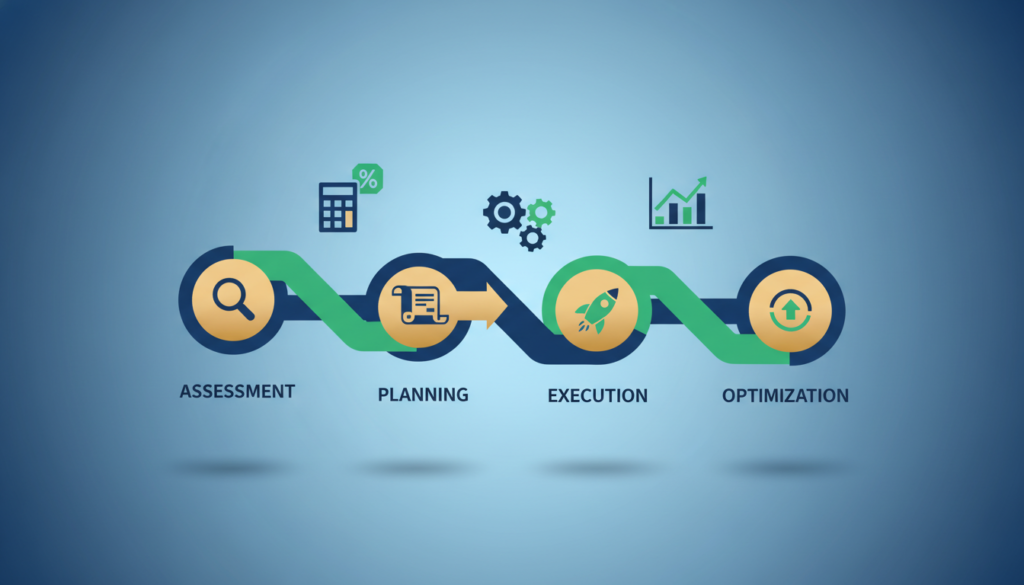
Identify high-impact workflows and map triggers, actions, and outputs
Map repetitive processes with clear rules and measurable cycle times. Prioritize high-volume tasks that return quick time savings and better accuracy.
Assign stakeholders to monitor automated processes and exceptions
Owners must watch exceptions, manage fixes, and review logs. Even automated flows require human oversight to keep controls effective.
Test workflows to protect accuracy before scaling across teams
Run parallel tests, sample reconciliations, and phased sign-offs. Use test windows to validate data integrity and reduce production risk.
Plan change management, training, and ongoing optimization
Communicate role shifts so staff see the change as leverage, not replacement. Provide role-based training and vendor support for iteration.
- Phase: pilot → controlled roll‑out → full scale.
- Mitigate: data cleansing, security checks, and scalable cloud choices.
- Measure: track cycle time, exceptions, accuracy, and efficiency.
| Phase | Key Activity | Success Metric |
|---|---|---|
| Pilot | Map process, build triggers/actions, run parallel tests | Reduced cycle time, error rate drop |
| Roll‑out | Assign owners, train users, enable monitoring | Fewer exceptions, higher accuracy |
| Optimize | Tune rules, update workflows, expand to adjacent areas | Improved efficiency and sustained support |
Conclusion
Focus first on short pilots that prove time savings and data accuracy before expanding to other processes.
The best financial automation software is the one that fits workflows, reporting needs, control expectations, and integration with existing systems.
Start with high‑ROI tasks, then connect key data sources and scale to end‑to‑end operations. Review platform categories: end‑to‑end platforms, close and reconciliation specialists, AP and spend tools, SMB accounting options, ERPs, and reporting/FP&A solutions.
Outcomes: faster close, fewer errors, more reliable reporting, and clearer insights for planning and management.
Next step: shortlist 2–3 tools, run demos with real use cases, and validate security and governance. Clean data and clear ownership make automated workflows sustainable, auditable, and scalable.
FAQs
What is financial automation software and how does it improve finance processes?
Financial automation software is a class of finance software that automates repetitive accounting and reporting processes such as reconciliation, payables, close management, and financial reporting. By replacing manual spreadsheets with automated workflows, businesses gain faster close cycles, cleaner financial data, stronger controls, and more time for analysis and planning.
How does automation improve financial reporting accuracy?
Automation improves financial reporting by validating financial data at ingestion, enforcing standardized rules, and creating auditable workflows. Automated reconciliation and rule-based checks reduce manual errors, flag exceptions early, and ensure that finance teams produce consistent, compliant reports faster and with fewer post-close adjustments.
Which finance processes should be automated first for quick ROI?
For fast return on investment, businesses typically automate high-volume finance processes such as accounts payable, accounts receivable, bank reconciliation, expense management, payroll, and month-end close workflows. These processes have clear rules and measurable cycle times, making automation software highly effective at reducing manual work and improving accuracy.