


Can a single platform truly connect campaigns, sales, and data without adding chaos? This guide answers that question who need clear choices.
It covers CRM-first suites and automation-first tools that added CRM, plus work management platforms and supporting stack products like CDPs and attribution. Readers get a commercial comparison focused on real workflow depth, multichannel execution, data foundations, integrations, governance, and pricing trade-offs.
The 2026 reality is that automation no longer means only scheduled emails. It includes AI-assisted personalization, operational workflows, multichannel journeys, and analytics feedback loops. The roundup compares platforms on multichannel reach, lead routing, data cleanliness, and the ability to prove ROI to leadership.
Expectation setting: this is for teams buying or switching software. It evaluates how each product scales, how contact-based pricing affects budgets, and what governance needs emerge as automation expands.
Key Takeaways
- Focus on workflow depth and multichannel execution when evaluating platforms.
- CRM and automation are merging; choose the path that fits team constraints.
- Consider data quality, integrations, and governance as core buying criteria.
- Pricing realities and contact-based models can change total cost of ownership.
- Proving ROI requires operational analytics and clear lead routing rules.
What marketing automation means in 2026
In the US, teams evolved past simple email drips into coordinated journeys that span email, SMS, social posts, and paid ads.
Teams use marketing automation to move from one-off sends to multi-step journeys. These journeys link email, SMS, social channels, and ads so messages stay relevant across touchpoints.
Multichannel is not just broadcasting. Triggers like site visits, form fills, or lifecycle changes start actions and sync signals into audience targeting. That keeps campaigns timely and reduces wasted spend.
Automation also expanded into operations. Intake forms, approval gates, launch checklists, and handoffs run in automated workflows. This reduces delays between content, creative, and demand teams.
AI supports speed and personalization. It speeds setup, suggests optimizations, and tailors content for segments. Teams expect templates, event triggers, conditional branching, and multi-step flows to cut manual follow-ups.
Execution vs. coordination
- Execution: send emails, publish social posts, or trigger ads.
- Coordination: update statuses, route workloads, and automate approvals.
| Use case | Primary benefit | Common tools |
|---|---|---|
| Cross-channel journeys | Consistent, timely messaging | Email platforms, SMS providers, ad connectors |
| Operational workflows | Faster launches, fewer errors | Work management platforms, workflow builders |
| AI-assisted optimization | Personalization at scale | AI modules in CRM and automation platforms |
Marketing automation vs. CRM automation: how platforms are converging
Data-rich customer records now sit at the center of how teams decide which campaigns run, who to score, and when to hand work to sales.
CRM automation focuses on full-lifecycle relationship management. It records interactions, supports pipeline movement, and drives service workflows. A marketing automation platform usually targets capture, nurture, and early funnel conversion.
How CRM customer data powers segmentation, scoring, and personalization: CRM fields and event history enable firmographic and behavioral segments. They feed lead scoring rules and populate personalized content blocks. That unified data makes messages more accurate and timely.
Where marketing automation typically stops: Most tools hand off at MQL/SQL assignment. After that, sales automation takes over with tasks, sequences, and pipeline updates. Service automation then manages tickets and retention actions.
| Scope | Primary use | When to choose |
|---|---|---|
| CRM automation | Full lifecycle, pipeline reporting | Tight sales handoff and revenue reporting |
| Marketing automation tools | Lead capture, nurture, campaign execution | Campaign-first teams with light CRM needs |
| Converged platforms | Shared records, builders, pipelines | Teams wanting both campaign depth and sales alignment |
Teams should prefer CRM-native automation when they need reliable pipeline metrics. Fragmented systems without a clean model risk broken segmentation and poor lead routing. For additional context on AI-driven options, see AI-powered solutions.
Benefits that matter most: time saved, accuracy, and higher ROI
Saving time and improving accuracy are the clearest business wins from workflow standardization. These gains matter most to growth teams that must move faster without adding headcount.
Reducing repetitive tasks with automated workflows and templates
Reusable templates and automated workflow steps cut routine tasks like list pulls, welcome sequences, follow-ups, and internal reminders.
That frees staff to focus on strategy and creative work instead of admin. Leaders reported saving 10–15 hours per week on administrative work after formalizing processes.
Improving targeting with customer data, tracking, and lead scoring
When customer data and event tracking are reliable, segmentation and lead scoring become actionable.
Teams see fewer missed sends, fewer broken handoffs, and fewer manual copy/paste errors when records update automatically. That raises conversion and reduces wasted spend.
Creating measurable feedback loops with attribution and analytics
Attribution and analytics close the loop. Tools like Dreamdata link campaigns to pipeline outcomes so teams can refine sequences, budgets, and scoring models.
FARFETCH formalized approvals and workflows, saving 3,500 hours per month and reporting a 6x ROI. For US commercial teams the result is faster time-to-first-touch, cleaner routing to sales, and visible pipeline impact.
- Operational wins: fewer manual steps, consistent launches.
- Accuracy gains: reliable records and fewer handoff errors.
- ROI signals: analytics that tie activity to revenue.
How this roundup evaluates marketing automation tools in 2026
The evaluation focuses on how platforms translate triggers and data into actionable workflows that teams can trust.
Scoring rubric
The review uses six weighted criteria so buyers can compare by real needs.
- Builder depth: triggers, conditions, branching, templates, and journey orchestration.
- Channel support: email, SMS, WhatsApp, social media, ads, and chat reach.
- Data foundation: CRM vs CDP, enrichment, identity, and event tracking quality.
- Integrations: native connectors, APIs/webhooks, and iPaaS compatibility.
- Governance: permissions, logs, naming standards, and anti-sprawl controls.
- Pricing scale: free tiers, entry plans, and where contact or seat costs spike.
What “workflow builder depth” means in practice
Builder depth measures operational features, not just visual layout.
It includes triggers (behavioral, stage-based, time), conditional checks, multi-level branching, reusable templates, and the ability to run multi-step journeys reliably.
Channels, data, and integrations
Email remains the core channel, but SMS, WhatsApp, social media, ads audiences, and chat now affect speed and response.
Data foundations determine whether personalization and scoring are trustworthy. Platforms that are CRM-native or CDP-backed with solid enrichment and event tracking score higher.
Integrations are graded on native connectors, API depth, webhook reliability, and whether an iPaaS like Zapier is needed as glue.
Governance and pricing realities
Governance prevents “zap sprawl” and broken logic. The roundup favors systems with ownership, audits, and naming conventions.
Pricing is pragmatic: free plans and trials exist, but contact scaling, CRM add-ons, and advanced automation tiers often cause costs to rise fast. ActiveCampaign’s workflow depth and HubSpot’s large integration catalog are noted trade-offs in cost and capability.
| Criterion | What is measured | Why it matters |
|---|---|---|
| Builder depth | Triggers, conditions, branching, templates | Enables complex journeys and reduces manual fixes |
| Channels supported | Email, SMS, WhatsApp, social media, ads, chat | Improves reach and response across customer touchpoints |
| Data foundation | CRM, CDP, enrichment, identity, events | Drives accuracy in segmentation and scoring |
| Integrations | Native connectors, APIs, iPaaS | Determines stack fit and long-term maintenance |
| Governance & pricing | Permissions, logs, ownership; contact/seat pricing | Controls risk and predicts total cost of ownership |
For practical advice on using workflow glue safely and avoiding sprawl, see this workflow integration guide.
Best marketing automation 2026: top platforms compared
This comparison divides tools by system of record and operational maturity so buyers can shortlist fast.
Group selection helps teams choose a platform that fits their main constraint: pipeline quality, operational speed, or clear ROI measurement.
CRM-first platforms for lifecycle and sales handoff
Who they suit: teams that need tight sales alignment and reliable pipeline metrics.
Examples include ActiveCampaign, HubSpot, EngageBay, Zoho CRM, Freshsales, and Pipedrive. These platforms tie campaign triggers to deal stages and automate handoffs.
Automation-first platforms that expanded into CRM features
Who they suit: teams focused on campaign execution, lead capture, and multichannel messaging with lighter CRM needs.
GetResponse and Brevo fall here. They excel at funnels, popups, and message delivery, while offering basic contact records and simple pipelines.
Work management platforms that operationalize processes
Who they suit: teams scaling production, approvals, and cross-team launches.
monday work management connects intake → production → approvals → launch → reporting. It adds resource planning and capacity views that prevent bottlenecks.
How each tool section is structured below: what it is best for, workflow depth, channels, data and integrations, pricing/trial notes, and ideal team fit. Choose the category first, then scan for workflow depth and integration coverage that match your team and campaigns.
| Category | Primary strength | Representative platforms |
|---|---|---|
| CRM-first | Lifecycle management and sales handoff | ActiveCampaign, HubSpot, Pipedrive, Zoho CRM, Freshsales, EngageBay |
| Automation-first | Campaign execution and lead capture | GetResponse, Brevo |
| Work management | Operationalization, approvals, resource planning | monday work management |
Best all-around CRM + marketing automation: ActiveCampaign
For teams that need both CRM ties and campaign depth, this platform balances power and clarity.
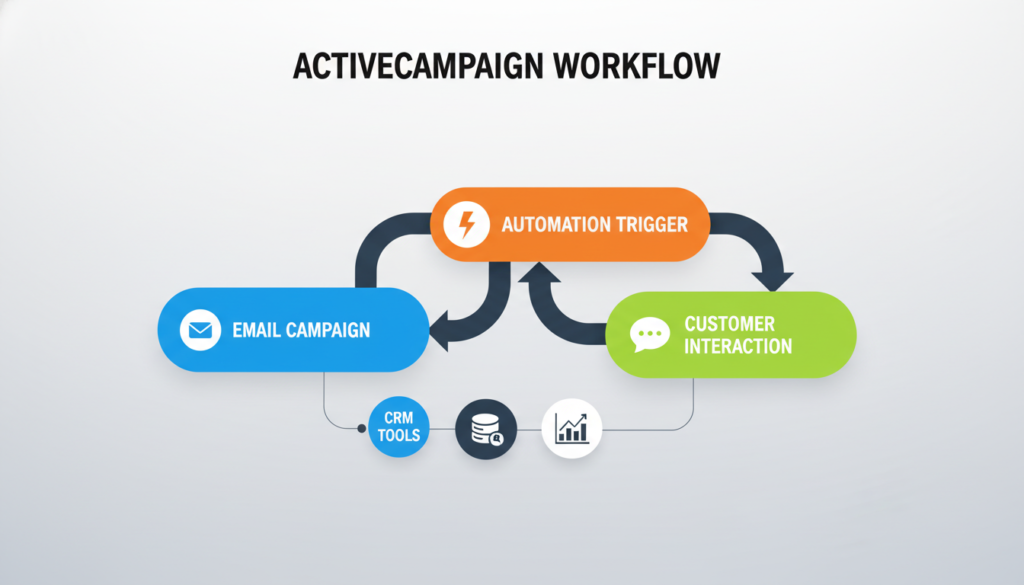
Why it stands out: ActiveCampaign pairs a drag-and-drop builder with more than 900 customizable templates. That library plus broad trigger and condition choices speeds setup and keeps campaigns consistent across teams.
Personalization and multichannel execution
The platform runs multichannel workflows that mix email, SMS, and social actions without separate tools. Dynamic content adapts messages by segment so recipients see relevant offers and copy.
Sales CRM add-on use cases
With the CRM add-on teams automate pipeline steps, score leads from web behavior, and auto-create follow-up tasks. Win probability helps forecasting and prioritizing sales outreach.
| Feature | Value | When to pick |
|---|---|---|
| 900+ templates | Faster, repeatable builds | Small teams scaling campaigns |
| Multichannel workflows | Coordinated touches across email and SMS | Lifecycle journeys and re-engagement |
| Lead scoring & win probability | Actionable sales signals | B2B handoffs and forecasting |
Pricing & trial: Entry plans start at $15/month; the CRM add-on begins around $108/month for 1,000 contacts and one user. A 30-day free trial reduces evaluation risk.
Explore CRM with marketing automation to compare how this platform connects campaign depth with sales workflows.
Best full customer platform: HubSpot Marketing Hub + CRM
HubSpot positions itself as a unified customer platform where workflows and records live in the same dataset.
Strengths in usability and modular hubs
Modular hubs let teams begin with CRM plus Marketing Hub, then add Sales, Service, Content, or Operations as needs grow.
The visual workflow builder is user-friendly and helps new users build complex flows quickly without heavy developer support.
AI in the workflow
Breeze AI speeds content drafts, surfaces analytics, and suggests personalization inside flows. That reduces setup time and improves message relevance.
Integration advantage and trade-offs
With 1,200+ integrations, the platform links ads, web events, and downstream systems so conversion signals feed back into the CRM and analytics.
Trade-off: entry pricing is modest, but contact counts, seats, and premium hubs scale costs quickly. Teams should model growth before committing.
| Area | Why it matters | Practical note |
|---|---|---|
| Workflows | Fast adoption for cross-team processes | Visual builder and templates for users at all levels |
| Breeze AI | Speeds content and insights | Drafts copy, recommends segmentation, improves personalization |
| Integrations | End-to-end conversion feedback | 1,200+ connectors for ads, commerce, and analytics |
| Pricing | Predictable at small scale, costly at large scale | Starter begins near $15/user/mo with 1,000 contacts; free CRM has basics |
Best fit: inbound and lifecycle teams that want one dataset, fast execution, and clear alignment between marketing activity and sales outcomes.
Best budget-friendly CRM suite for small teams: EngageBay
EngageBay targets small US teams that need a full CRM suite without the enterprise price tag.
Automation basics done well: EngageBay provides clear segmentation, lead nurturing sequences, and conditional logic that handle common workflows. Lead scoring and behavior-based paths let teams surface high-value leads and route them automatically.
The workflow builder emphasizes usability. Contextual pop-ups and inline options reduce clutter. That helps small teams build flows without specialist ops support.
How automation connects to sales
Automation links directly to sales pipelines. Rules can auto-assign deals, create follow-up tasks, and move stages when leads convert. This reduces missed handoffs and speeds response time.
Free plan and pricing
The free plan includes email sequences, email templates, sales pipelines, and automated data entry — enough to prove value quickly.
| Feature | Value for small teams | Notes |
|---|---|---|
| Segmentation & lead nurturing | Targeted sequences for different audiences | Conditional paths and scoring available |
| Workflow builder | Low-friction setup and contextual help | Good for teams without ops specialists |
| Sales automation | Deal assignment, tasks, pipeline moves | Smoother handoffs to sales |
| Pricing | Entry suite from $12.74/user/month | Includes 500 contacts; scales affordably for microbusinesses |
Who should consider it: US small teams and solopreneurs seeking cost-effective CRM software that covers core email, templates, and lead workflows with minimal setup.
Best for ecommerce funnels and lead capture: GetResponse
GetResponse bundles funnel building, lead capture, and follow-up into a single execution layer that ecommerce teams can deploy quickly.
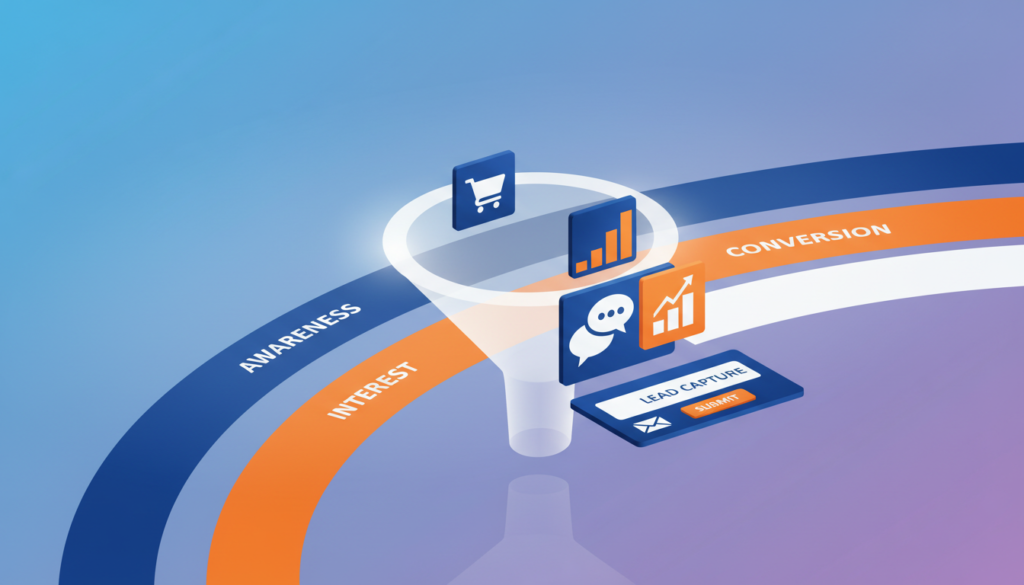
Why it fits funnel-driven teams: it combines email and SMS workflows, landing pages, forms, and webinars so teams avoid stitching multiple platforms together.
Conversion funnels that map the buyer path
Conversion funnels act as a visual buyer map from signup to purchase.
Built-in steps and triggers move contacts forward based on actions like form fills, webinar attendance, or purchase behavior.
Lead capture: magnets and exit popups
Lead magnet funnels and exit-intent popups capture emails at high-value moments to reduce lost traffic.
These tools speed list growth and feed automated sequences that nurture prospects toward checkout.
Paid acquisition and ad integrations
Facebook ads integration syncs audiences and tracks conversion steps so teams can measure ad-driven campaigns.
That integration helps close the loop between paid spend and funnel performance without heavy engineering.
Plan tiers to watch
Entry Email Marketing plans start at about $13.30/month and support basic emails and list building.
Advanced workflow builders and full funnel features require the Marketing Automation plan from roughly $40/month. Ecommerce tiers add store connections and CRM features at higher levels.
- What to expect: fast funnel deployment with forms, pages, and email/SMS workflows in one product.
- Watch for: advanced funnel logic and ecommerce CRM are gated to upper plans.
- Ideal fit: SMB ecommerce brands and creators who want quick funnels without assembling many tools.
Best multichannel starter platform: Brevo
A compact platform that mixes messaging channels and a lightweight CRM speeds time to first lead response.
Why Brevo suits early-stage US businesses: It offers multichannel marketing automation across email, SMS, and WhatsApp with a beginner-friendly builder. The UI helps new users start simple while supporting website-triggered conditions and more advanced journey logic.
The built-in CRM includes basic pipelines and deal tracking. That setup is often enough for teams that need fast lead follow-up without a full enterprise CRM.
Email, SMS, and WhatsApp workflows that scale
Users can deploy campaigns, set behavioral triggers, and branch based on site events. The workflow builder is approachable but supports conditions and multi-step journeys for growth needs.
| What it includes | Practical value | Who it fits |
|---|---|---|
| Email, SMS, WhatsApp | Unified messaging without extra connectors | Startups and small teams |
| Sales CRM & pipelines | Deal tracking and basic routing | Teams not ready for enterprise CRM |
| Free plan & trials | Email campaigns, basic sequences, pipelines | Validate fit before scaling |
Pricing clarity: Entry marketing plans begin near $8.08/month. Full automation features require the Business tier (~$16.17/month). The sales CRM is a separate option at about $12/month.
Ideal use cases: US startups and small businesses that want fast multichannel reach, easy workflows, and a lightweight CRM foundation to manage early leads and growth.
Best for sales-led teams connecting deals and campaigns: Pipedrive and Freshsales
Sales-led teams need platforms where deal motion and outreach work as one, so follow-up never falls through the cracks.
Pipedrive Campaigns ties segmentation to CRM fields so nurture and re-engagement start from pipeline events. Deals that stall or drop out can trigger targeted campaigns to revive interest.
Pipedrive tracks email responses and can automatically move engaged leads into the correct stage. That tightens the loop between outreach and the deal record and reduces manual task handoffs.
Pricing and trial: CRM plans begin near $14/month, with Campaigns as a paid add-on from $16/month for 1,000 contacts. A 14-day trial lets users validate email sequences and response routing.
Freshsales Suite: AI-driven scoring and event-based workflows
Freddy AI supplies intent and sentiment scoring so sales reps prioritize leads with the highest signal. Weighted pipelines predict likely closures and sharpen forecasting.
Event-based workflows include conditional logic, branching, and multichannel actions across emails, SMS, and chatbots. Integrations (Zoom, WhatsApp, Messenger) extend outreach where teams need it.
Pricing starts around $9/month and there is a free plan that supports three users, useful for small SDR teams validating workflow rules and task automation.
| Tool | Key strengths | When to pick |
|---|---|---|
| Pipedrive Campaigns | CRM-driven segmentation, re-engagement triggers, response tracking | Sales teams needing tight campaign-to-deal workflows |
| Freshsales Suite | Freddy AI scoring, weighted pipelines, event-based branching | Organizations focused on pipeline velocity and forecasting |
| Common fit | Deal-centric system of record, task automation, fast lead follow-up | SDRs and revenue teams prioritizing pipeline management over top-funnel content |
Best fit: organizations that prioritize lead follow-up, pipeline velocity, and automated task assignment more than heavy content ops. Both tools help prevent leakage by making the deal pipeline the trigger for outreach and workflows.
Best for customization and omnichannel automation: Zoho CRM
Zoho CRM gives teams deep customization so they can map real customer journeys end to end. The platform suits that want to automate processes across sales and service without adding new tools.

Visual journey mapping and no-code process building
Visual builders turn lifecycle steps into runnable flows. Users draw journeys, set triggers, and attach actions that span both sales and campaign tasks.
No-code process building automates segmentation and personalized emails using CRM data. That reduces handoffs and speeds execution.
Zia AI for predictions and workflow optimization
Zia predicts conversion and churn for each workflow and suggests routing or timing changes. These insights help refine follow-up and scoring rules without heavy analyst time.
Omnichannel messaging and unified customer data
Zoho supports email, SMS, social, live chat, and phone. All interactions write back to the same customer record so teams see a single communication history.
| Area | Strength | When to pick |
|---|---|---|
| Journey mapping | Visual, reusable workflows | Teams modeling multi-step customer paths |
| Zia AI | Conversion & churn predictions; suggestions | Teams wanting data-driven workflow tweaks |
| Channels | Email, SMS, social, chat, phone | Organizations needing unified outreach and history |
Pricing & scale: entry starts at $14/user/month; Zia and advanced journey mapping need Enterprise (~$40/user/month). A free plan for three users supports testing.
Best fit: growing companies that value flexibility, broad features, and the ability to automate end-to-end customer workflows with one platform.
Best for marketing operations and work management: monday work management
Centralizing campaign operations removes spreadsheet bottlenecks and restores team bandwidth.
Campaign orchestration: central visibility from brief to launch to performance
One workspace tracks briefs, creative assets, approvals, timelines, and performance handoffs. Leaders no longer chase status updates across scattered files.
Resource management and capacity planning to prevent burnout
Workload visibility flags over-capacity team members early. Teams can rebalance assignments and avoid missed deadlines.
Workflow automation and standardization with templates and no-code recipes
Reusable templates and no-code recipes reduce repetitive coordination work while keeping creative flexibility. That saves administrative time—leaders reported 10–15 hours per week.
Dashboards, executive reporting, and OKR tracking for strategic alignment
Real-time dashboards show campaign status, productivity, and OKR progress. Executives get concise analytics to link activity to goals.
Where it complements channel platforms
monday manages people and process; email, SMS, and ad platforms handle audience delivery. Use monday as the operational system that connects strategy to execution.
| Capability | Operational value | Example outcome |
|---|---|---|
| Campaign orchestration | Central briefs, approvals, assets | FARFETCH connected 400 people across 40 teams; 3.5K hours/month saved |
| Resource & capacity planning | Prevent burnout, rebalance work | Teams saved 10–15 hours/week on admin tasks |
| Templates & automation recipes | Standardize recurring workflows | Genpact removed spreadsheets and gained GTM calendar visibility |
Supporting tools to complete an automation stack: Zapier, Segment, Clearbit, Dreamdata
Supporting tools often do the heavy lifting that core platforms leave unfinished: cross-app routing, clean events, and ROI ties.
Why add stack completers? Platforms handle campaign execution, but gaps remain in cross-app glue, standardized data, enrichment, and revenue-grade attribution. These tools fill those specific needs so teams avoid manual work and noisy reporting.
Zapier for workflow glue across apps and teams
Zapier moves data between apps, triggers actions, and removes repetitive ops tasks. It often automates handoffs that would otherwise need manual work.
Governance tip: maintain an automation registry with owner, purpose, trigger, and last updated to prevent zap sprawl and accidental duplicates. For a deeper comparison of workflow glue tools, see this workflow tool comparison.
Segment as the customer data foundation for reliable events and identity
Segment centralizes event collection and identity resolution so triggers and audiences stay consistent across systems. Teams should start with 10–15 revenue-mapped events to make data actionable fast.
Clearbit for enrichment and smarter routing
Clearbit enriches partial leads and company records so SDRs get firmographics and firm-level fit without long forms. That improves segmentation, ICP routing, and reduces time wasted on low-fit leads.
Dreamdata for attribution and ROI tied to pipeline outcomes
Dreamdata links touchpoints to opportunities so analytics reflect real revenue paths: ads → content → demo → deal. It requires disciplined UTMs and CRM stage hygiene to deliver credible attribution results.
| Tool | Primary role | Practical outcome |
|---|---|---|
| Zapier | Cross-app workflow glue | Reduced manual ops; automation registry prevents sprawl |
| Segment | Customer data & event standardization | Consistent triggers and audiences; start with 10–15 events |
| Clearbit | Lead/company enrichment | Smarter routing, better ICP matches, fewer form fields |
| Dreamdata | Revenue attribution & analytics | Pipeline-linked ROI; depends on UTMs and CRM hygiene |
Common 2026 stack patterns: CRM-first stacks prioritize pipeline fidelity (HubSpot/Salesforce). Warehouse-first designs use Segment and activation layers for data maturity. Lifecycle-first stacks center on customer engagement platforms for retention and usage triggers (Braze, Iterable, Klaviyo).
Decision guidance: pick a single system of record first—CRM, warehouse, or lifecycle platform—before adding supporting tools. Otherwise, teams risk automating chaos and polluting reports.
Conclusion
Choosing the right platform starts by matching the tool to the team’s biggest constraint: pipeline quality, operational speed, data reliability, or ROI proof. Pick the option that fixes the primary bottleneck without multiplying ownership gaps.
The three-bucket model helps: CRM-first suites for lifecycle and sales handoff, automation-first products for execution and lead capture, and work management systems for operational scale. Each serves different needs for US teams and businesses.
Practical path: pick one system of record, build 1–2 core journeys, then add a CDP, enrichment, attribution, or iPaaS only when governance and data hygiene are solid.
Clean data, disciplined automation, and clear measurement win: they save time, improve targeting, tighten sales handoffs, and prove ROI as campaigns scale.
FAQs
What is marketing automation and how do companies use it in 2026?
Marketing automation refers to the use of automation platforms and software tools that coordinate email, SMS, ads, CRM workflows, and analytics into connected customer journeys. In 2026, companies use marketing automation platforms to personalize campaigns, route leads to sales teams, automate approvals, and track ROI—helping businesses scale marketing without adding manual work.
How do marketing automation tools improve customer engagement and conversion?
Marketing automation tools trigger timely messages based on customer behavior, lifecycle stage, and data signals. These automation platforms personalize content, automate follow-ups, and route leads faster, resulting in better response rates, cleaner sales handoffs, and higher conversion for businesses across ecommerce, SaaS, and service industries.
What features should businesses look for in a marketing automation platform?
Businesses should prioritize automation tools that offer workflow builders, multichannel messaging (email, SMS, WhatsApp, ads), CRM or CDP-backed customer data, lead scoring, integrations, analytics dashboards, and governance controls. These features ensure campaigns remain accurate, scalable, and measurable as automation expands.
Why are automation platforms becoming essential for modern marketing teams?
Automation platforms reduce repetitive tasks, standardize campaign execution, and connect marketing data to revenue outcomes. By replacing manual processes with automated workflows, marketing teams gain speed, accuracy, and clear ROI visibility—making marketing automation tools essential infrastructure for growing companies and customer-centric businesses.