


This comparison frames two leading iPaaS options that connect apps, move data, and cut repetitive tasks. It explains core differences between each solution and how they serve varied team needs.
Readers choosing between these platforms should think beyond features. They are budgeting, planning adoption, and aiming to scale. The article previews a key trade-off: one side favors simplicity and a broad integration library, while the other shines at complex, multi-branch workflows and cost efficiency at scale.
The right pick depends on who will use the system, which apps are already in place, and how much control is needed over logic and data handling. Examples range from a simple Slack alert to multi-source reporting or order routing.
All capabilities and pricing notes reflect status as of August 2025; buyers should confirm final terms with each vendor before purchase.
Key Takeaways
- One platform won’t fit every team: choose based on workflow complexity and scale.
- Simplicity vs control: easy setup often trades off deep branching logic.
- Integration breadth matters for rapid, general-purpose automation.
- Cost efficiency appears with scale when advanced workflows run frequently.
- Verify current pricing and features with vendors before committing.
Choosing an automation platform for today’s workflows
Selecting the right automation platform shapes how teams save time, reduce errors, and scale routine work.
What “better” means for US teams: faster time-to-first automation, fewer production errors, predictable monthly cost, and enough control over logic and data to troubleshoot and change flows.
Different groups share ownership of automation — marketing, sales ops, ecommerce, and IT — so handoffs and governance matter for long-term management.
Reliability is critical. Automations that silently fail create missing leads, skewed reports, and slow operational response. Teams prioritize tools with clear run history and alerting.
- Cost at scale: volume-based billing shifts economics as usage grows; task or operation models change the math.
- Day-to-day control: teams need to inspect runs, tweak conditions, and add branches without rebuilding the whole workflow.
- Ease of use: simpler editing and governance reduce maintenance load for frequent updates and ownership changes.
This article next evaluates user interface, integrations, workflow power, error handling, pricing, and scaling to help teams match tool capabilities to business needs.
Make vs Zapier at a glance: key differences that matter
A quick comparison highlights how one tool favors visual, logic-heavy workflows while the other prioritizes fast setup and broad app coverage. This snapshot helps US small businesses and mid-market teams pick a path before deeper evaluation.
Best fit
Power users and complex workflows: one platform scores higher for builders who need branching, data transforms, and granular control (G2: 4.7/5).
Beginner-friendly automation: the other is ideal for teams that want a guided, linear setup and fast time-to-first automation (G2: 4.5/5).
User experience
Visual canvas: shows end-to-end flow and data movement, which speeds debugging and supports complex logic.
Step-by-step builder: walks a user through trigger → action, lowering the learning curve for nontechnical staff.
Integrations, limits, and pricing
| Compare | Platform A | Platform B |
|---|---|---|
| Integrations | ~2,400+ apps | 7,000+ apps |
| Free tier | 1,000 operations | 100 tasks |
| Routing & logic | Unlimited routes, strong data tools | Step limits, uses Paths for branching |
| Pricing model | Operations-based billing | Tasks-based billing |
- Integration gap: a larger app ecosystem often decides the choice when niche SaaS connectors matter.
- Capability trade-offs: one side offers more flexibility for complex logic and data handling; the other wins on simplicity and faster onboarding.
- Pricing note: compare operations versus tasks carefully—workflow design affects total cost more than list price.
The next sections validate these claims with hands-on criteria, real workflow examples, and cost modeling guidance.
How the tools were evaluated for this comparison
The evaluation used repeatable tests on daily automations to show how each platform performs under normal team workloads.
Core criteria included ease of use, integration depth, workflow capabilities, support, and pricing transparency. Each criterion was scored using hands-on tasks, documented runs, and time-to-first automation metrics.
Evaluation framework
- Daily usability: UI, navigation, templates, and onboarding—how quickly users can build and edit flows.
- Integration depth: not just whether an app exists, but how many actions and API surfaces are exposed.
- Workflow capabilities: branching, loops, multi-record processing, and transformations such as JSON and arrays.
- Reliability tools and error handling: run history clarity, alerts, and replay options.
- Support and community: docs, tutorials, forum activity, and response times.
- Pricing transparency: clear rules for what consumes operations or tasks and forecasting guidance.
| Test area | What was measured | Why it matters |
|---|---|---|
| Ease of use | Time to first automation; editability; run history clarity | Helps users onboard faster and reduce maintenance time |
| Integration | Number of actions per connector; webhook/custom API support | Determines realistic capabilities for complex integrations |
| Pricing | Billing triggers; overage risks; forecast examples | Prevents surprise cost and supports budget planning |
Testing reflects capabilities as of August 2025 and is intended to aid US teams choosing a platform today.
User interface and ease of use: building automations day to day
Everyday automation starts at the interface—how a tool feels shapes whether teams adopt it. The editor type changes the pace of work and who can own workflows.
Zapier’s guided setup for fast wins and a shorter learning curve
The guided builder walks users through triggers and actions with clear forms and prompts. A typical user can create a simple workflow like “new form submission → Slack message” in minutes.
Copilot suggestions speed time-to-first automation by proposing common flows and reducing choices for novices.
Make’s drag-and-drop scenario canvas for visual clarity and flexibility
The visual canvas shows modules, branches, and data paths on one screen. It feels dense at first but offers strong control for complex scenarios.
Power users appreciate visible branches and detailed data mapping when workflows split or loop.
Templates, onboarding, and time-to-first automation
Zapier’s larger template library and broader tutorial ecosystem shorten learning time for nontechnical users. Teams get faster wins.
The canvas platform has fewer third-party tutorials but deep official docs that reward time invested.
Collaboration and handoffs when multiple users manage workflows
For team management, both tools let admins comment, copy, and document intent. Zapier’s simpler flows ease handoffs between nontechnical users.
Canvas-based editors help teams reduce single-person dependency when workflows need branches and conditional routing.
- Who benefits most: nontechnical users needing quick wins prefer the guided builder; intermediate and power users favor the visual canvas for flexibility.
- Maintainability: guided flows are easier to scan months later; visual scenarios require a brief orientation but show logic more clearly at scale.
| Comparison | Guided builder | Visual canvas |
|---|---|---|
| Time to first automation | Minutes for common tasks | Longer initial time, faster complex builds |
| Learning curve | Low | Moderate to high |
| Best for | Nontechnical users, quick wins | Power users, multi-branch workflows |
Integrations and app coverage: connectors, actions, and API depth
Connector coverage can make or break an automation project before any code is written. Teams often choose a platform based on whether a critical app exists natively or requires a workaround.
Library size and plug-and-play odds
Zapier’s 7,000+ integrations improve the odds of finding a ready-made connector for niche US SaaS tools. That breadth often shortens pilots and speeds deployments.
Depth per app and real capability differences
Some connectors are shallow. Others expose many objects and actions. For example, Xero shows far more actions on one platform than the other (84 vs 25), giving deeper control over accounting data.
Workarounds and API-first approaches
When an app is missing, both platforms support webhooks, HTTP modules, and custom API calls. These fixes require developer time and familiarity with API docs and small bits of code.
- Selection tip: choose the platform with the integrations that match your core stack.
- AI note: one platform offers a large AI app directory and Copilot; the other leans on API-first custom integrations for AI workflows.
| Feature | Zapier | Other platform |
|---|---|---|
| Integration count | 7,000+ apps | ~2,400+ apps |
| AI marketplace | 250+ AI integrations, Copilot | API-first, custom AI calls |
| Custom workarounds | Webhooks & HTTP | Webhooks & HTTP |
Workflow power and automation capabilities for complex logic
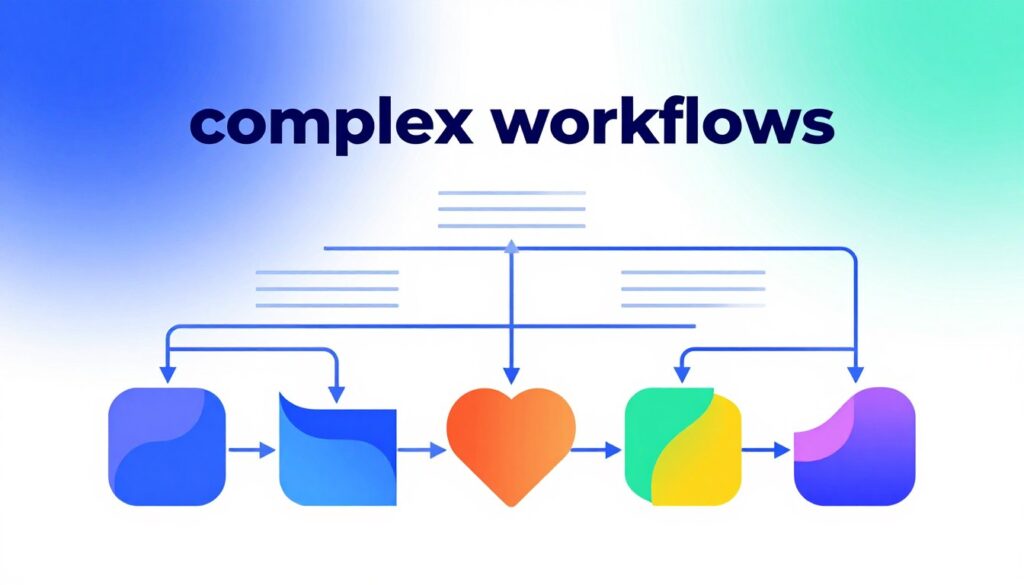
Real workflow strength appears when a process must branch, iterate, and reshape data across systems. This section shows how advanced logic and routing affect daily operations, speed, and maintenance.
Branching, routers, and multi-path logic
Routers and filters let teams route requests to many targets with clear criteria. One platform supports unlimited routes and per-route filters, which reduces manual splits and simplifies exception handling.
By contrast, Paths-style branching works well for simple forks but can feel constrained when many conditional routes are required. Teams sometimes must split a single workflow into several automations to manage complexity.
Loops, iteration, and multi-record processing
Handling line items, bulk CRM updates, or batched records requires looping and iteration. Built-in array tools let scenarios iterate records without writing code, keeping outputs clean and predictable.
The guided builder handles simple loops but may require workarounds or multiple workflows for large batches, increasing operational overhead.
Data handling, transformations, and formatting
Parsing JSON from webhooks, mapping arrays into line items, and formatting dates or currency are common tasks. Strong data functions reduce errors and avoid extra post-processing in downstream systems.
Step limits, splitting workflows, and parallel processing
When a workflow grows, step caps force teams to split flows. That increases maintenance and task consumption. Running parts in parallel can cut latency for ecommerce routing or reporting jobs.
- Who benefits most: advanced teams that need heavy data transforms and many routes favor visual, flexible scenarios.
- Simplicity wins: smaller teams choose guided builders for quick automations and fewer maintenance demands.
| Feature | Flexible scenarios | Guided builder |
|---|---|---|
| Branching | Unlimited routes, per-route filters | Paths-style, limited branches |
| Multi-record handling | Native arrays and loops | Basic looping, may need splits |
| Parallel runs | Supported for speed | More sequential, higher latency |
Error handling, debugging, and reliability in production automations
When automations run in production, the ability to detect and fix errors fast matters most. Reliability is a core buying factor for US teams because broken flows can cause missed leads, incorrect customer messages, and bad reports.
Make’s stronger troubleshooting controls
Advanced run inspection and conditional recovery
The canvas platform offers detailed run logs, per-module inspection, and conditional error routes. Users can set explicit handling rules so a failed step triggers an alternate path or a graceful stop.
Zapier’s reliability for simpler workflows
Solid for basic trigger-action but limited for complex cases
The guided builder is reliable for common automations and has clear retry behavior. For multi-branch logic, however, its error controls feel less expressive and can force workarounds.
Reduce human error with monitoring, alerts, and replay
Practical steps include adding monitoring hooks, sending alerts to Slack or Teams, and assigning clear owners for failures. Reliable platforms let teams replay failed runs or reprocess items without duplicating downstream actions.
- Why it matters: clearer debugging reduces time to repair and lowers ongoing maintenance cost.
- Recovery: replay and idempotent reprocessing prevent double writes to downstream systems.
- Operations: set alerts, document ownership, and run regular checks to catch silent failures.
| Area | Canvas platform | Guided builder |
|---|---|---|
| Error visibility | Per-module logs, filters | Run history, basic retries |
| Recovery options | Conditional routes, replay | Retry, manual fix |
| Best for | Complex workflows and data-heavy runs | Simple automations and quick wins |
Pricing and total cost: operations vs tasks (and why the math changes)
Billing models shape how teams design workflows and how much they pay each month.
How Zapier billing works: Zapier charges per task. Each action step that runs counts as a task, so a multi-step Zap can multiply usage quickly. Pay-per-task plans help with variable monthly volume.
How Make billing works: The canvas-style tool bills by operations. Every module run and data iteration consumes operations. Complex scenarios with many modules or looped records use operations faster than simple flows.
Free plans and cost at scale
Free tiers differ: 1,000 operations versus 100 tasks. That gap matters for testing and small-team pilots.
| Item | Platform A | Platform B |
|---|---|---|
| Free tier | 1,000 operations | 100 tasks |
| Starter price | $9/month (10,000 ops) | $19.99/month (multistep, ~750 tasks) |
| Best for | High-volume runs | Variable or light usage |
Budgeting tips
- Forecast monthly runs and map steps to tasks or operations.
- Filter early in a flow to avoid unnecessary module runs.
- Group actions or batch records to cut unit counts.
- Monitor usage weekly to catch overages before bills rise.
Best use cases by team and workflow type
Practical use cases help teams match platform strengths to common business processes. This section lists typical workflows and which teams benefit most from each approach.
Small business and marketing teams
These teams need fast setup, templates, and broad app coverage. For routine marketing workflows, a guided builder speeds adoption and keeps maintenance light.
Example: form lead → enrich contact → add to email list → Slack alert.
E-commerce operations
Ecommerce workflows demand conditional routing and batch processing. A canvas-style editor handles multi-item orders, inventory updates, and order-status routing with fewer split flows.
Example: Shopify paid order → enrich in CRM → notify Slack → create invoice.
Technical teams
Developers favor webhook, API, and database control. A flexible scenario canvas simplifies JSON parsing, arrays, and complex data transforms for reliable automation.
Sales and CRM workflows
Sales ops balance coverage and mapping. Guided builders give quick connectors to HubSpot or Salesforce, while a visual editor helps with custom field mapping and multi-step enrichment.
Internal ops and reporting
Reporting often pulls from several apps and formats outputs. Visual data tools make multi-source pulls and compiled reports easier to maintain.
| Team | Typical workflow | Why this fits |
|---|---|---|
| Marketing | Lead capture → nurture → notify | Fast templates, broad app integration |
| E-commerce | Order routing → inventory update → billing | Conditional routes, batch processing |
| Engineering | Webhook → API → DB write | Advanced transforms, arrays, webhooks |
| Sales | Lead routing → enrichment → sync | Connector coverage + custom mapping |
Scaling, security, and team management considerations
When automations shift from one-off fixes to mission-critical services, governance and security become top priorities.

When enterprise features and admin controls become a priority
As workflows touch customer data and billing, audit trails, role-based access, and SSO matter. Enterprises need clear change logs so managers can see who edited a workflow and when.
Zapier often positions itself for larger organizations with enterprise-grade security, unlimited users, and centralized admin controls. That makes it easier for IT and security teams to apply policies across many users.
Scalability trade-offs: high-volume workflows, governance, and maintainability
At high volume, cost and complexity shift. The canvas-style option is typically more cost-efficient above 10k operations per month and helps teams visualize complex workflows with fewer separate flows.
Splitting automations into many small flows can increase operational overhead. Teams should adopt naming conventions, documentation inside workflows, and owner assignment to prevent accidental breaks.
- Governance tactics: shared folders or projects, version notes, and test environments.
- Maintainability: prefer fewer well-structured scenarios when possible to lower debugging time.
- Decision checkpoint: if multiple departments will manage automations, prioritize admin controls, permissions, and clear visibility into changes.
| Concern | Enterprise offering | Operational tip |
|---|---|---|
| Access control | SSO, RBAC, audit logs | Set role tiers and limit edit rights |
| Cost at scale | Operations-based efficiency (high volume) | Batch records and filter early |
| Maintainability | Visual scenarios reduce split flows | Document steps and assign owners |
Decision framework: which platform is best for specific needs
The right automation choice comes from testing common workflows against real usage and cost. Start by mapping team needs, required apps, and expected monthly volume before picking a platform.
Choose Make when flexibility and complex workflows matter
Best fit: teams that need flexible routing, deep data transforms, and granular error handling. It scales well for high-volume runs and often lowers unit cost as usage grows.
Choose Zapier when ease of use and broad integrations are priorities
Best fit: teams that want rapid deployment, a large connector library, and minimal training. It speeds pilots for common SaaS stacks and niche apps.
How to validate the choice: pilots, metrics, rollout
Run three pilot automations: one simple, one medium, one complex. Track build time, failure rate, and monthly consumption.
- Success metrics: hours saved per week, fewer manual entries, lower error rate, predictable monthly pricing without overages.
- Integration dealbreaker: if a required app or action is missing, accept an API workaround only after validating effort and security.
| Decision point | If you need | Recommended platform |
|---|---|---|
| Many branches, arrays, transforms | Complex workflows, flexibility | Canvas-style scenario tool |
| Fast setup, many niche apps | Ease use, broad integrations | Guided builder platform |
| High monthly volume | Cost efficiency, predictable pricing | Operations-based billing option |
Rollout tips: document standards, assign owners, add monitoring and alerts, and prepare a migration checklist if workflows must be rebuilt on a new platform.
Conclusion
In the end, teams should pair their priorities with the platform that best reduces risk while maximizing ROI.
Both tools automate routine work effectively, but they prioritize different needs. One platform excels at complex workflows, advanced data transforms, and tight error handling. The other wins on fast setup and the broadest integrations for quick wins.
Consider pricing: task-based billing can rise quickly as steps and volume grow. Operations-based billing often becomes more economical at scale if scenarios are designed efficiently.
Practical next steps: list your top 10 apps, top 5 workflows, and expected monthly volume. Run short pilots, measure usage and failure rates, then choose the platform that fits users, governance, and integration needs.