


Can a small team cut weeks from delivery and keep full control of processes without hiring more engineers?
They can. In 2025, No-code tools for startup operations help founders and ops leads favor speed, clarity, and repeatability over long custom builds.
These platforms let lean teams build apps, automate tasks, and streamline workflows so a process idea becomes a working app in hours or days. That reduces handoffs, trims spreadsheets, and speeds approvals.
Expect practical outcomes: fewer manual steps, faster cycle time from concept to live, and clearer team data visibility. The article stays tool-agnostic while noting key differences like mobile-first needs, integrations, governance, and scaling.
Readers will get an ops-focused roundup covering app builders, automation platforms, databases, project management, documentation, internal tool builders, and ecosystem suites, plus a simple checklist and implementation plan to move faster today.
Key Takeaways
- Speed and repeatability matter more than custom code for early growth.
- Adopting the right platforms cuts approval and delivery time.
- Fewer spreadsheets and handoffs improve data reliability.
- Look for mobile readiness, integrations, and governance when choosing solutions.
- Implementation should include a checklist and a phased plan to scale safely.
Why no-code is reshaping startup operations in 2025
By 2025, visual platform adoption has reached a tipping point, and teams expect quicker delivery and measurable gains.
Mainstream adoption: 87% of enterprise developers now use low-code platforms, showing this approach is trusted for internal workflows.
Market momentum: Vendors invest heavily — the sector is projected to hit $35.86B by 2025, which drives richer features and a larger ecosystem.
What speed looks like in practice: a small team can ship an intake workflow in days, not weeks — sometimes reporting up to 90% faster development. That reduces handoffs and manual steps.
- ROI gains: Average returns reported near 2,560% reflect saved engineering hours and reduced agency spend.
- When to choose visual platforms: Use them for internal apps, dashboards, and lightweight portals.
- When to code: Stick with custom development for deep product differentiation, extreme scale, or complex security needs.
| Metric | Impact | When it matters |
|---|---|---|
| 87% adoption | Trust and maturity | Operational workflows |
| $35.86B market | Vendor investment | Feature depth, integrations |
| 90% faster | Faster time-to-live | Internal processes |
| 2,560% ROI | Cost avoidance | Small teams with tight budgets |
What no-code tools are and how they work without coding
Instead of compiling code, teams can map processes using drag-and-drop interfaces and templates. These platforms present a visual interface where building an app is mostly configuration and UI assembly rather than typing code.
Visual builders use reusable components, layout editors, and pre-made templates to speed delivery. Ops teams pick a template, swap fields, and connect screens to launch fast, repeatable workflows.
How data and databases are handled
Behind the interface, the platform maps records and tables to managed databases. Relational links (lookups and rollups) mirror common database relationships without manual schema setup.
Business logic runs as triggers, conditions, permissions, and actions. These mimic code patterns: event → condition → action, so approvals, notifications, and calculations behave like scripted workflows.
Types: visual, low-code, and full-code
| Type | Speed | Developer reliance |
|---|---|---|
| Visual | Fast | Low |
| Low-code | Moderate | Mixed |
| Full-code | Custom | High |
Trade-offs: visual approaches limit deep customization and can create vendor lock-in. Adding SQL, scripts, or APIs helps when teams need more flexibility.
- Best fits: approvals, intake forms, and tracking dashboards.
- When to code: highly bespoke systems or performance-critical back ends.
What startups can automate and build with no-code
Teams can swap slow spreadsheets and email threads for live, automated workflows that save hours every week.
Real-time trackers and dashboards replace static spreadsheets with a single database that feeds multiple views. That cuts versioning problems and gives leaders live visibility into KPIs and work-in-progress.
Internal trackers and dashboards
Onboarding checklists, inventory updates, and service request forms become apps that log entries and trigger tasks automatically. Notifications and task creation shorten cycle time and reduce manual follow-up.
Client portals and customer-facing applications
Client portals use secure logins and role-based visibility to share files, reports, and status updates. This reduces status meetings and keeps customers informed with controlled access to content and data.
Approvals and handoffs
Procurement, content review, and onboarding are high-impact workflow candidates. Automations route approvals, add conditions, and record timestamps so teams measure cycle-time improvements.
Integrations and synced data
Integration patterns connect CRM, support, billing, and fulfillment so records stay consistent across apps. A single source of truth avoids duplicate spreadsheets and prevents conflicting data.
| Use case | Primary benefit | Example outcome |
|---|---|---|
| Real-time tracker | Eliminates versioning | Live inventory counts, fewer errors |
| Dashboard | Leadership visibility | KPI view, fewer manual reports |
| Client portal | Secure sharing | Reduced status calls, faster approvals |
| Integrations | Consistent data | CRM + billing sync, automated invoices |
No-code tools for startup operations: the selection checklist
A practical selection checklist helps leaders match a platform to real workflow outcomes and growth signals. The goal is to pick technology that reduces manual effort, improves data reliability, and scales with team needs.
Workflow automation and orchestration
Evaluate triggers, conditional logic, multi-step flows, and error handling. Confirm approvals, retries, and rollbacks are supported.
Look for: conditional branches, parallel tasks, and clear debugging logs so ops can manage failures without engineering help.
Data layer strength
Check relational records, lookup fields, rollups, and view types. Verify record limits and permissioning for teams with different access needs.
Ask: can the platform enforce row-level access, version history, and exportable schemas?
User experience requirements
Define whether the target is an internal web app, customer portal, native mobile app, or PWA. Each use case demands different UX components and publishing targets.
Prioritize: responsive web views, offline support for field crews, or native device APIs when mobile features matter.
Integration needs
Map required connectors: native integration, Zapier support, REST APIs, and webhooks. Test reliability and rate limits before committing.
Tip: prefer platforms with robust API docs and retry policies for mission-critical syncs.
Security and governance
Review SSO, audit logs, role-based access, and compliance posture. Governance features matter as users and automations increase.
Ensure: clear admin controls, exportable logs, and a plan for onboarding and offboarding accounts.
Cost and scaling signals
Compare plan tiers, usage limits (actions, tasks, records), and collaboration features. Watch for hard caps that force upgrades during growth.
Recommendation: shortlist two platforms per category and run a pilot workflow to validate automation depth, data fidelity, and cost under realistic load.
| Selection factor | Key questions | Red flag |
|---|---|---|
| Automation | Triggers, retries, approvals? | Only single-step actions |
| Data | Relational support, limits, permissions? | Flat tables only |
| Integrations | APIs, webhooks, connectors? | Poor docs, flaky webhooks |
| Security | SSO, audit logs, compliance? | Missing admin controls |
| Cost | Usage caps, upgrade triggers? | Opaque overage pricing |
Adalo for mobile-first operations apps and field team workflows
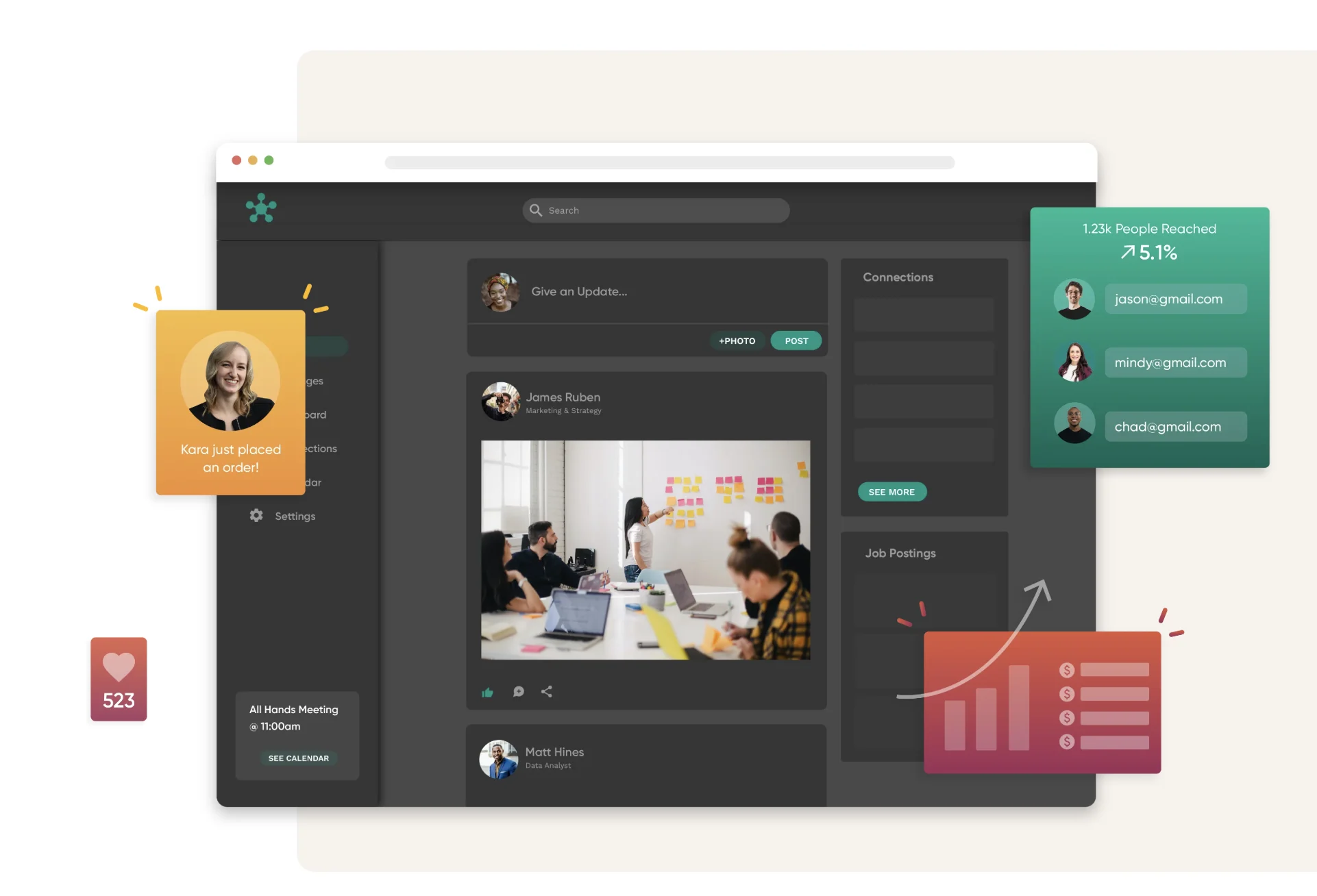
When field execution matters, teams choose a platform that prioritizes mobile delivery and on-the-go updates. Adalo lets teams build a single project and publish to web, iOS, and Android without rebuilding separate applications.
Build once, publish everywhere
One project, three targets: a single codebase produces a web app and native releases. That reduces duplicate work and accelerates time-to-live for field-facing applications.
Native mobile features that matter
GPS supports proof-of-service and location stamps. Camera captures photo evidence for inventory and inspections. Push notifications deliver urgent alerts to crews on the move.
Operations-ready components and data
Prebuilt forms, lists, charts, and action buttons convert checklists into structured workflows. Collections and records store operational data with relations and user-level access.
Integrations and extension points
Adalo connects via Zapier, Stripe, Google services, and REST APIs. These integrations handle payments, calendar events, and bi-directional record syncs with other services.
Pricing snapshot and best-fit use cases
| Tier | Notes | When to upgrade |
|---|---|---|
| Free | 200 records per app | Proof-of-concept |
| Starter ($45) | Basic publishing | Small field teams |
| Professional ($65) | 30,000 monthly actions | Growing automation needs |
| Team/Business ($200–$250) | API access, higher limits | Enterprise integrations and scale |
Best fits: onboarding apps, inventory with photo evidence, customer portals, and process documentation that require native mobile features and simple integrations.
Zapier for cross-app automation and AI-powered workflows
Zapier serves as the connective tissue that moves data and tasks across apps without engineering effort. It links 8,000+ apps and exposes 30,000+ actions, giving diverse stacks broad coverage.
How it works at scale
Teams build multi-step workflows that route approvals, create records, and send notifications. A single flow can handle budget requests, content approvals, or hire requisitions automatically.
Reliability and collaboration
Error handling and auto-replay reduce silent failures and cut manual follow-ups. Shared workspaces let multiple users manage automations with clear ownership and versioning.
Practical example
- Form submission → create ticket → notify Slack → update CRM → generate doc.
- This chain eliminates repetitive tasks and speeds decision cycles.
| Plan | Notes | Scaling impact |
|---|---|---|
| Free | 100 tasks/month | Good for testing |
| Professional $29.99 | Higher limits, single-user | Small production use |
| Team $103.50 | Shared management | Cross-team automations |
| Enterprise | Custom governance | High-volume reliability |
Note: task limits determine cost as workflows scale. Teams should pilot realistic volumes to avoid surprises.
Airtable for flexible databases, operational tracking, and AI-native workflows
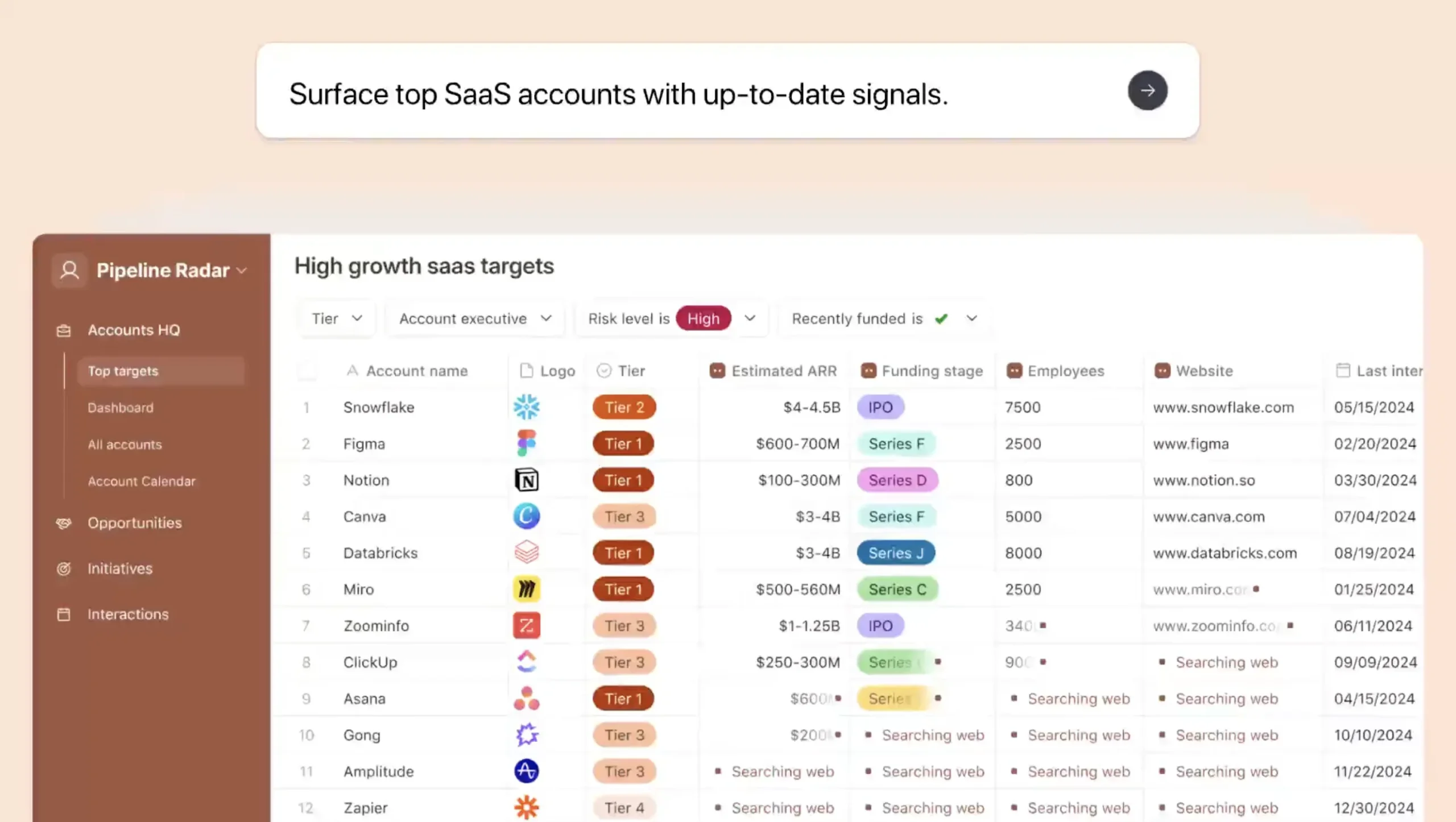
Airtable bridges simple spreadsheets and structured databases so teams keep pace without heavy IT overhead. It blends an accessible grid with relational records that support real work tracking.
From spreadsheet to relational database: records, lookups, and rollups
Records act like rows with fields. Lookups pull related entries across tables. Rollups aggregate values, so accounts, projects, and invoices link cleanly for cross-functional visibility.
Views for operational visibility: grid, Kanban, calendar, and Gantt
Different stakeholders use different views without creating copies of the same data. Product, project, and management teams can switch between Kanban, Gantt, calendar, or grid to match their workflows.
Interface Designer and AI-powered automation
Interface Designer builds lightweight applications that simplify entry and cut errors. Built-in automation and AI can categorize requests, summarize records, and generate content tied to workflows.
Pricing snapshot and example use cases
Plans scale from Free (1,000 records/base) to Team ($24/user, 50k records) and Business ($54/user with AI), up to Enterprise (500k+ records). Typical use cases include asset tracking, CRM-lite pipelines, content calendars, and operational reporting with rollups.
| Plan | Record limit | Best use |
|---|---|---|
| Free | 1,000/base | Proof-of-concept |
| Team | 50,000/user | Growing projects |
| Business | Higher, AI features | Content and automation |
Monday.com Work OS for visual project management and process standardization
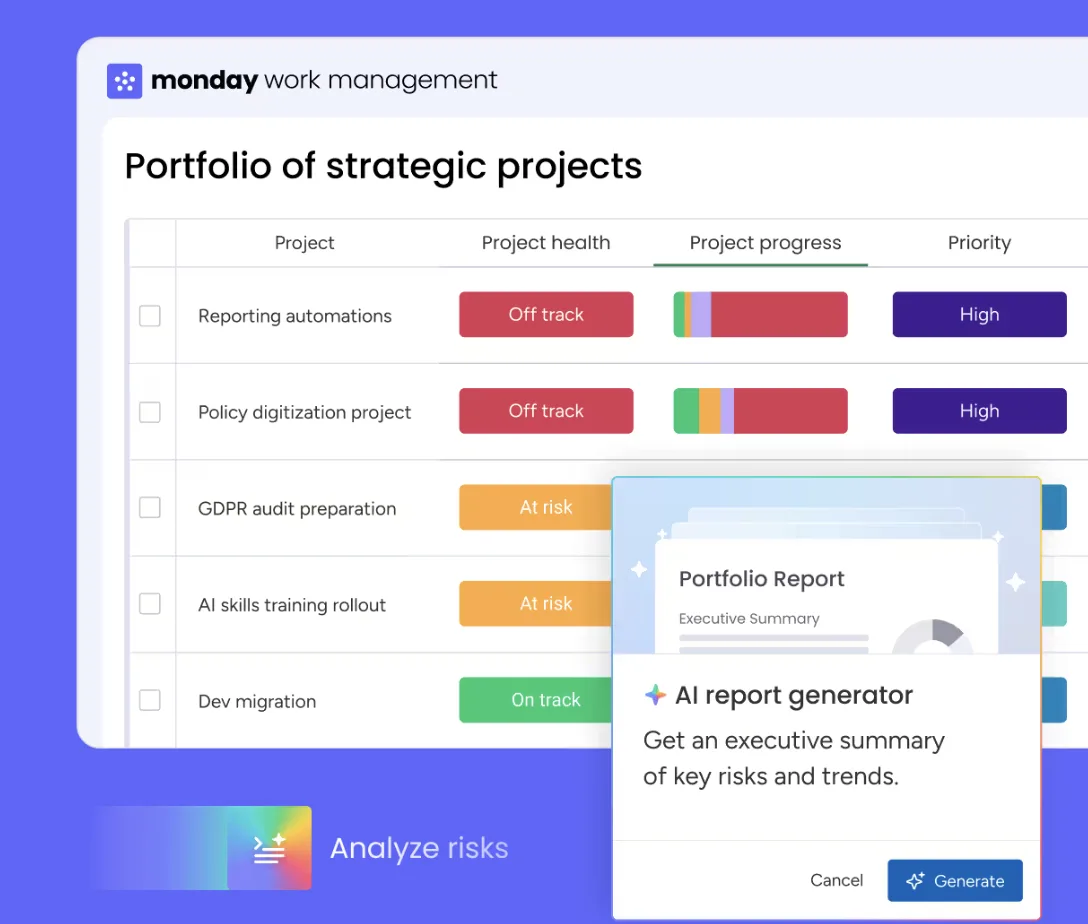
A central project workspace that combines capacity views, automations, and templates helps teams scale consistent processes fast.
Monday.com acts as a Work OS that standardizes recurring processes and keeps cross-team work visible. It offers 27+ views, including Gantt, workload, and live KPI cards so managers see capacity and spot bottlenecks quickly.
Operational visibility: Gantt, workload, and KPI tracking views
Gantt timelines map dependencies and deadlines so launch checklists and delivery plans stay on track.
Workload views show who is over or under capacity, helping with resource balancing across projects.
KPI tracking surfaces scorecards in the same workspace, so performance and progress live side-by-side.
No-code automation builder with 200+ templates
The platform includes an automation builder and 200+ templates that cut initial setup time.
Common flows—approvals, reminders, and status updates—can be enabled with a few clicks. That reduces manual handoffs and speeds repeatable processes.
Collaboration at scale: structured workflows across departments
Structured workflows let teams reuse the same project patterns across marketing, product, and support.
Examples include hiring pipelines, service delivery tracking, and launch plans that stay consistent as teams grow.
| Plan | Price (per user/month) | When to pick |
|---|---|---|
| Basic | $9 | Light project tracking, simple collaboration |
| Standard | $12 | Gantt and timeline views, mid-sized teams |
| Pro | $19 | Advanced automations and increased limits |
| Enterprise | Custom | Enterprise-grade security, governance, and scale |
Pricing and security matter: automation limits and user action caps influence plan choice. Organizations needing audit logs, SSO, and strict security should evaluate Enterprise options to match compliance and governance needs.
Notion for SOPs, documentation, and an all-in-one operations wiki
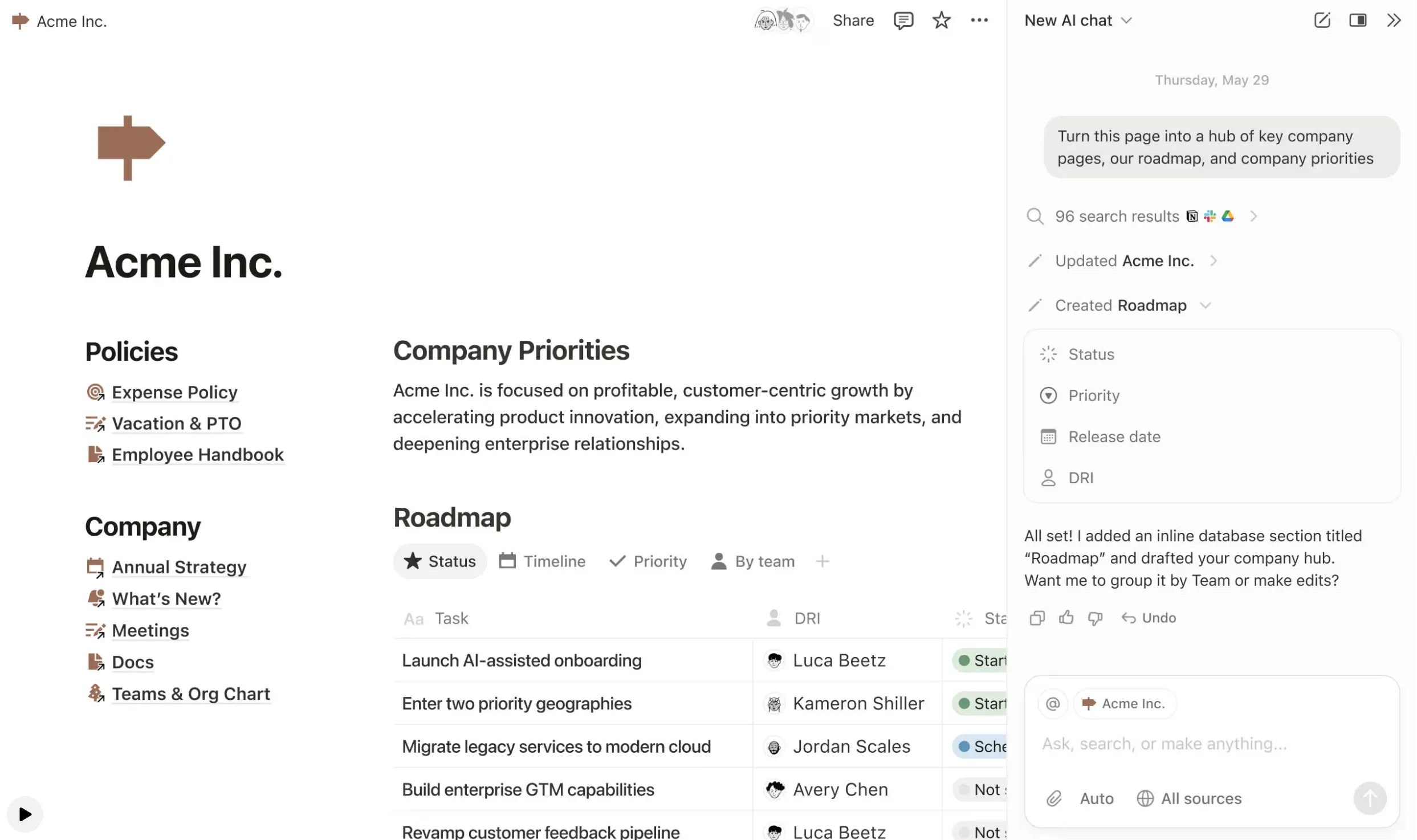
Notion centralizes SOPs, task lists, and reference docs so teams stop hunting for answers. It blends rich content, linked databases, and simple task tracking into one searchable platform.
Knowledge management for teams: docs, databases, and task tracking in one place
Documentation becomes a single source of truth. Teams build SOPs as pages that link to databases for owners, review dates, and related policies. That keeps content current and reduces stale guidance.
Templates that accelerate rollout: 5,000+ community options
Notion’s 5,000+ community templates speed setup. Templates cover onboarding hubs, meeting systems, and ops handbooks so teams can use proven structures instead of starting from scratch.
AI enhancements for summarizing and drafting operational content
AI features help summarize long SOPs, draft checklists, and convert meeting notes into action items. This saves time and improves the consistency of procedural content.
Where it fits best
Best-use scenarios include internal hubs, process documentation, training materials, and lightweight task tracking tied to docs. Notion suits teams that need flexible content and connected data.
- Governance basics: permission pages and databases by team, and define who may publish operational changes.
- Pricing snapshot: Plus $10/user/month, Business $20/user/month (AI included), Enterprise custom.
- Practical tip: link SOP pages to review-date fields so updates surface on a regular cadence.
| Capability | Why it matters | When to use |
|---|---|---|
| Linked databases | Keep owners, tools, and review dates attached to content | SOP libraries and policy records |
| Templates | Faster rollout and consistent structure | Onboarding hubs, meeting notes, handbooks |
| AI summarization | Reduce reading time and create action items | Long procedures and meeting captures |
Bubble for complex web applications when startups need advanced logic
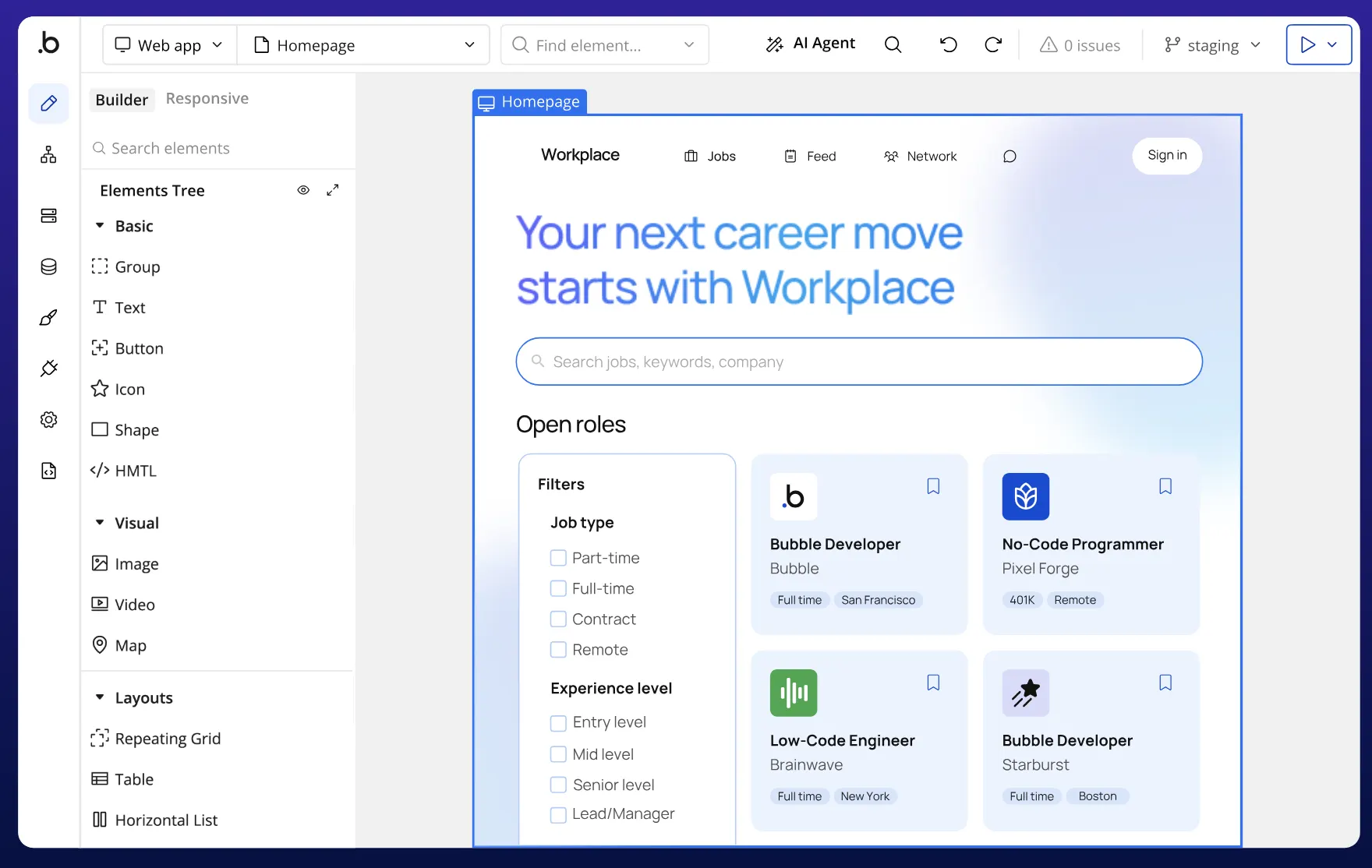
When a team needs web apps with complex rules and heavy data models, Bubble often becomes the practical choice. It targets projects that require more than basic visual builders can deliver.
Visual programming for custom workflows and data-heavy applications
Workflows, conditions, and database rules let teams model approvals, scoring, and multi-step processes without writing traditional code. The visual editor maps events to actions and enforces complex data relationships.
Extending functionality with plugins and API creation
Bubble supports 6,500+ plugins and first-class API creation. That lets teams connect external services, build custom endpoints, and extend platform features to match unique integrations and data needs.
Trade-offs to plan for: learning curve and long-term maintenance
The platform has a steeper learning curve—often 3–6 months to reach fluency. It also requires ongoing ownership to manage performance, schema changes, and upgrades.
Pricing snapshot: starter through scaling plans
- Starter: $32/month — entry-level web app hosting and modest traffic.
- Growth: $134/month — higher capacity and collaboration features.
- Team: $399/month — performance, API limits, and team management.
| Use case | Why Bubble fits | When to avoid |
|---|---|---|
| Complex customer portals | Custom roles, dynamic pages, API endpoints | When sub-ms latency is required |
| Multi-role marketplaces | Flexible workflows and payment integrations | High-frequency, compute-heavy tasks |
| Data-heavy internal apps | Relational data and conditional logic | When a full engineering team is available |
Microsoft Power Platform for operations inside the Microsoft ecosystem
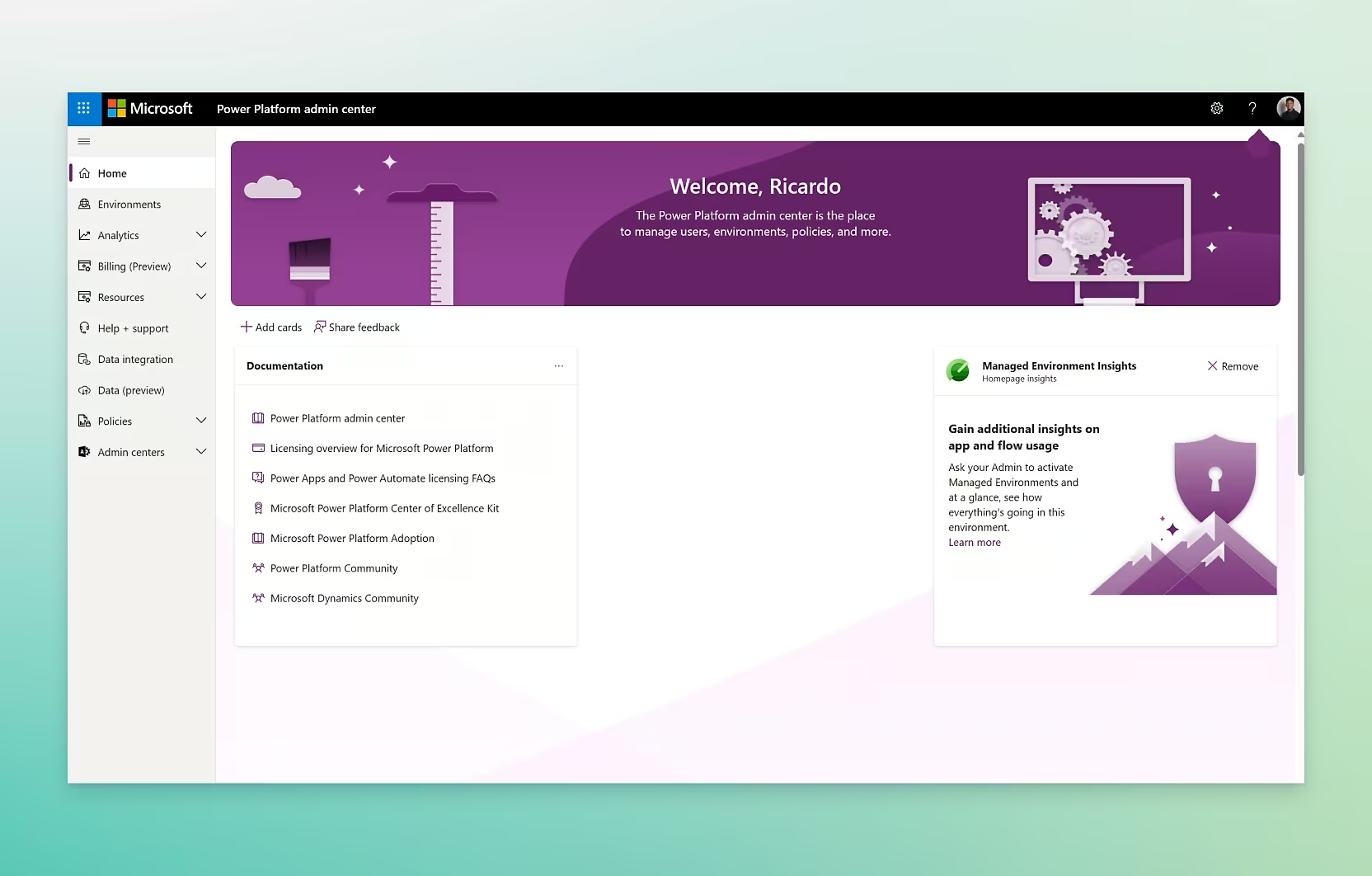
When a team runs most work inside Microsoft 365, a unified platform can collapse tool sprawl and speed delivery. The Microsoft Power Platform bundles app building, automation, analytics, and AI assistants into one ecosystem that maps directly to Outlook, Teams, and SharePoint.
What each component is best at
Power Apps builds internal apps and simple portals quickly, ideal for custom forms and data entry tied to SharePoint or Dataverse.
Power Automate handles workflow automation—approvals, notifications, and cross-app routing that trigger from Teams messages or Outlook.
Power BI delivers dashboarding and analytics so leaders track operational KPIs from the same data sources.
Copilot Studio creates conversational experiences and chat assistants that surface process guidance and data inside Teams.
Connector depth and integrations
The platform offers 1,400+ pre-built connectors, which simplifies integration with common enterprise systems and internal services. That connector depth reduces custom integration work and speeds deployments that span CRM, HR, and finance systems.
Security, governance, and management
Enterprise-grade security and governance are core strengths. Expect environment separation, role-based permission models, DLP policies, and full audit logs to support regulated workflows.
Admins can enforce data loss prevention and monitor actions across automations and apps to maintain compliance as users scale.
When to choose this platform — and when it’s too much
It is the logical choice when most users already use Microsoft 365 and teams need deep integration, centralized management, and strong security controls.
However, the suite can add cost and complexity if a team needs only a single lightweight app. In that case, a focused solution may be cheaper and faster to run.
| Scenario | Why Power Platform fits | When it’s excessive |
|---|---|---|
| Automated approvals in Teams | Native triggers, governance, and auditability | Single-channel approvals with simple email only |
| SharePoint document workflows | Direct file integrations and permissions | Small file shares with no compliance needs |
| Operational KPIs | Consolidated data into Power BI dashboards | One-off reports that need no refresh |
- Example outcomes: automated approvals surfaced in Teams, SharePoint-based document routing with metadata, and centralized KPIs in Power BI.
- Consider pilots to validate integration, licensing, and governance before full rollout.
Retool for fast internal tools, admin panels, and data dashboards
Retool speeds delivery by turning database queries and APIs into working admin panels in hours. It is an internal-tool accelerator that helps teams build admin consoles, ops dashboards, and data editors that connect to live sources.
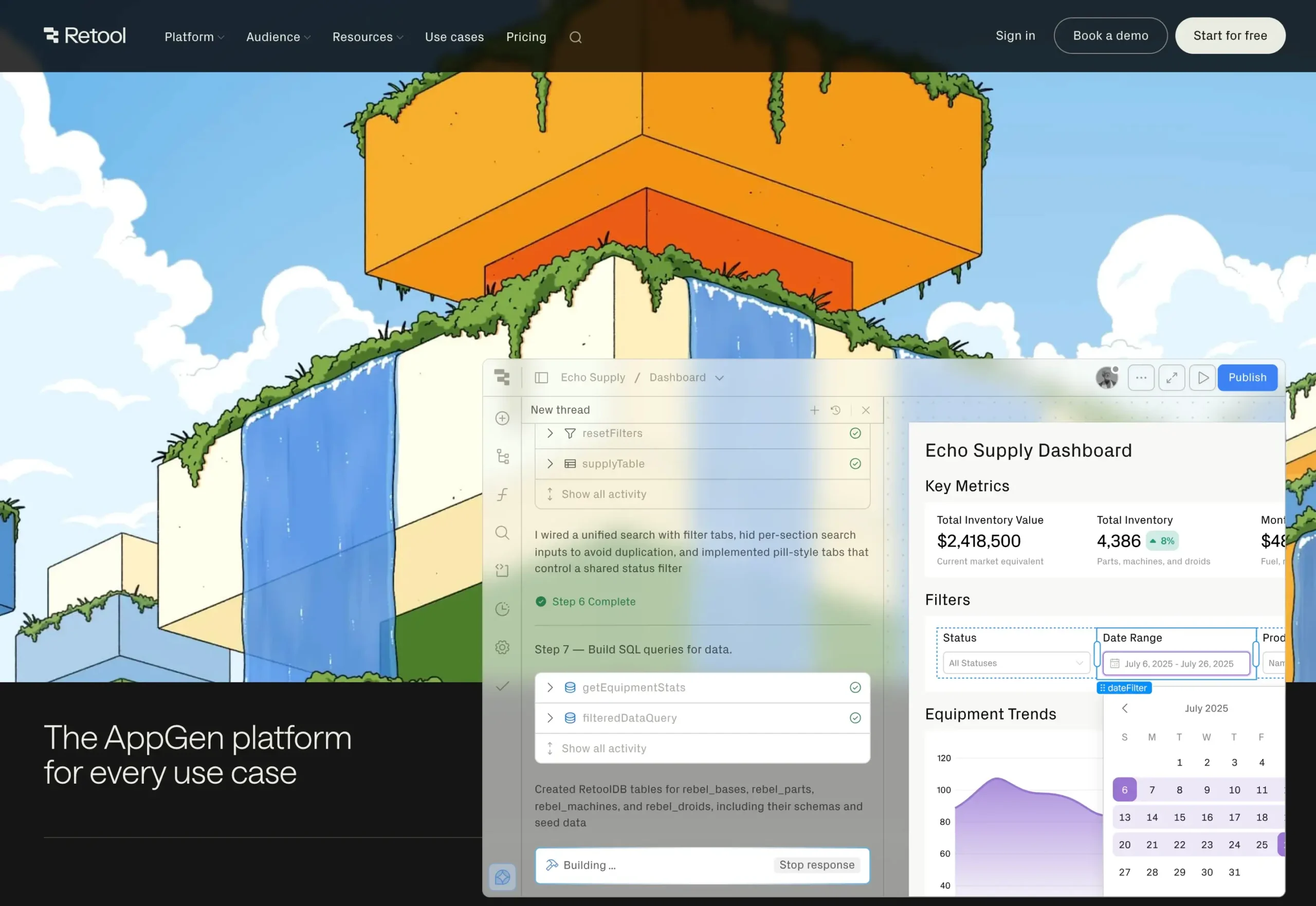
Developers and product owners assemble interfaces quickly using 100+ UI components. That library creates consistent pages and reduces repeated design work.
Retool connects directly to databases and major systems. This reduces duplicated records and keeps a single source of truth across dashboards and back-end systems.
When low-code and custom code make sense
The platform supports SQL queries, REST APIs, and small code snippets. Teams use SQL for precision, call APIs to sync external services, and add custom code for edge cases.
Governance and security: permission groups, role-based access, and audit logs on higher tiers help protect sensitive data and track who ran which actions.
| Feature | Why it matters | When to pick |
|---|---|---|
| 100+ UI components | Faster, consistent interfaces | Admin panels and dashboards |
| Direct database connections | Live reads and writes to source-of-truth | Replace spreadsheet copies |
| SQL, APIs, custom code | Precision and extensibility | Complex queries or custom logic |
| Governance (permissions, logs) | Security and auditability | Sensitive workflows and compliance |
Pricing snapshot
Free: up to 5 users and 500 workflow runs — good for early testing.
Team: $10/user/month — small teams that need basic collaboration.
Business: $50/user/month — higher limits, audit logs, and advanced integration features.
Enterprise: custom pricing with SSO, governance, and support for scale.
Other no-code platforms startups consider for specific operational needs
Specialist platforms close functional gaps when broader suites feel heavy or miss budget limits. These options target clear use cases: client portals, process modeling, self-hosting, and rapid web presence.
Softr: data-driven web apps and client portals
Softr shines when teams need role-based permissions and quick delivery of customer-facing portals. It supports PWA-style delivery so mobile access is simple.
Kissflow Workflow: approvals and analytics
Kissflow focuses on modeling workflow, tracking SLAs, and surfacing process analytics. It suits teams that need formal approvals and measurable cycle-time metrics.
ToolJet: open-source internal apps
ToolJet appeals to teams that want hosting control and extensibility. As an open-source option it offers broad integrations and custom deployment choices.
Wix, Dorik, Carrd, Pixpa: fast web presence
These services speed landing pages, resource hubs, and marketing pages using templates and simple publishing. Pick based on template variety, integrations, permissioning, and expected traffic costs.
| Platform type | Primary strength | Key selection criteria |
|---|---|---|
| Client portals | Role-based access | security, templates, integrations |
| Workflow engines | Approvals & analytics | workflow visibility, SLA tracking |
| Open-source | Self-hosting | extensibility, cost, integrations |
How to map tools to common startup operations use cases
Identify the source of truth first: choose one central data store, then add a workflow layer and a UI layer that read and write to it. This reduces duplication and keeps processes predictable.
Onboarding, training, and process documentation workflows
Use a documentation hub like Notion as the knowledge base. Pair that with mobile checklists built in Adalo and automation triggers in Zapier to push tasks and reminders.
Inventory, asset tracking, and operational databases
Airtable acts as a flexible database that holds records and relations. Retool provides admin interfaces for edits. Adalo lets field teams update records with photos and GPS stamps.
Client intake, service requests, and customer portals
Collect requests via web forms or a portal (Softr or Bubble). Route approvals and notifications with Zapier or Monday.com to ensure SLA-driven responses.
Cross-team project execution and resource management
Standardize project management in Monday.com while keeping the canonical data in Airtable. That combo gives teams consistent workflows and flexible reporting views.
Reporting, dashboards, and operational analytics
Build dashboards where stakeholders need them: Airtable Interfaces, Retool panels, Monday.com KPI cards, or Power BI if the team uses Microsoft 365. Connect the dashboard directly to the single data source.
| Use case | Primary data layer | Workflow layer | UI / Access |
|---|---|---|---|
| Onboarding & training | Notion / Airtable | Zapier automations | Notion pages / Adalo mobile |
| Inventory & assets | Airtable | Retool workflows | Retool admin / Adalo field app |
| Client intake & service | Airtable / Softr DB | Monday.com or Zapier routing | Softr or Bubble portal |
| Project execution & reporting | Airtable or Dataverse | Monday.com automations | Monday dashboards / Power BI |
Integration, security, and governance considerations for scaling teams
As teams scale, integration complexity becomes the single biggest reliability risk for live workflows. Platforms that work well with a few users often fail when hundreds of users and automations rely on the same data paths.
Designing reliable connectors, webhooks, and APIs
Connectors are simple to deploy but can hide throttles and retries. Use them for common, low-latency syncs.
Webhooks are event-driven and near real-time; they suit notifications and triggers but need durable queues and retry logic.
REST APIs offer precise control and are best for bulk syncs, transactional writes, and retryable jobs. Combine approaches to minimize single points of failure.
Access, roles, and data visibility
Enforce least privilege and separation of duties. Limit sensitive data by job function and use role-based access control to reduce exposure.
Assign clear owners to each integration and workflow so changes and incidents have accountable contacts.
Audit trails, SSO, and practical risk controls
Require SSO and preserve audit logs to track user actions and automation runs. Regular access reviews and documented change logs reduce drift.
- Use consistent naming for automations and flows.
- Keep an owner and a rollback plan for each integration.
- Document the authoritative data source for every business entity.
| Risk | Control | Outcome |
|---|---|---|
| Integration failure | Retries, queueing, fallback | Higher uptime |
| Unauthorized access | SSO, RBAC | Reduced data exposure |
| Data divergence | Single source of truth, ownership | Consistent reporting |
Implementation plan to launch faster and avoid rework
Start small: deliver one working workflow that proves value, then use that momentum to scale. A narrow pilot keeps time to delivery short and makes results measurable.
Start with a single workflow and define success metrics
Pick a high-volume, high-friction process such as intake, approvals, or onboarding. Define success in operational terms: cycle time, manual touches, error rate, and visibility.
Choose templates and standardize fields and data sources
Templates accelerate building and reduce rework. Standardize naming, fields, and the canonical data source to avoid messy mappings later.
Test with a pilot team, then expand with documentation and training
Run a short pilot to validate permissions, notifications, edge cases, and reporting. Then follow a simple rollout: prototype → pilot → iterate → document → train → scale.
| Step | Primary focus | Outcome |
|---|---|---|
| Prototype | Fast delivery | Early feedback |
| Pilot | Permissions & reporting | Validated workflow |
| Document & train | Consistency | Reduced single-builder risk |
Conclusion
Practical adoption shows visual platforms now run real business work, not just prototypes.
These no-code tools power day-to-day operations by combining app builders, automation, and data layers into reliable applications. Choose a platform based on workflow complexity, data needs, UX targets, integrations, and governance maturity.
Best-fit examples: Adalo for mobile-first apps, Zapier for cross-app automation, Airtable as the flexible database, Monday.com to standardize work, Notion for SOPs, Bubble for complex web apps, Power Platform inside Microsoft estates, and Retool for internal admin panels.
Next step: pick one workflow, run a short pilot, measure impact, document outcomes, then scale. Prioritize clarity, ownership, and reliability so automation builds trust. The true power lies in pairing the right platform with disciplined process design and governance as business needs grow.
FAQs
What are no-code platforms and how do they work without coding?
No-code platforms are development tools that allow businesses to build applications, workflows, and dashboards without coding. They use visual interfaces, drag-and-drop components, and pre-built features so users can configure functionality instead of writing code.
What types of applications can businesses build with no-code tools?
Businesses can build internal tools, approval workflows, dashboards, client portals, onboarding systems, inventory trackers, and lightweight web or mobile applications. These platforms support a wide range of development needs without requiring traditional coding.
How do no-code tools differ from traditional software development?
Traditional development relies on developers writing custom code, while no-code tools use visual builders, templates, and automated workflows. This approach dramatically reduces development time, lowers cost, and allows non-technical users to launch solutions faster.
What features should businesses look for in a no-code platform?
Key features include automation workflows, database functionality, integrations, role-based permissions, mobile-ready interfaces, security controls, and scalable plans that grow with user demand.
Can developers still benefit from no-code platforms?
Yes. Developers often use no-code platforms to prototype quickly, build internal admin panels, connect APIs, and reduce repetitive development work. This allows them to focus on high-value, custom coding when needed.